
Intersection Manager | Introduction
Civil Site Design V25.10 (released November 2024) features the Intersection Manager. This is a single, centralised location to manage intersections within a Civil Site Design project.
The Intersection Manager was developed to enable users to have single tool which would assist with managing all intersecting Road Strings in the project. Even if the intersection is not supported with kerb returns, users can configure the intersection to suit relevant design requirements and utlitise the original kerb return tools. Projects containing a large number of intersections will benefit from being able to quickly identify and edit the intersecting roads and kerbs.
Intersection Manager | ‘T’ Intersections
Managing typical ‘T’ Intersections has been improved, with users having new tools to globally change intersections throughout the project. Changing batter/daylight conditions globally or being able to selectively change kerb return templates, once the kerb return has been established without having to change via the Design Data Form.
Intersection Manager | Crossing Intersections
Intersection Manager has replaced the Nominate Side Road form. With the Intersection Manager, you can not only switch between side and main roads and maintain your kerb returns, you can also use overlapping alignments to force a ‘T’ Intersection, instead of defaulting to a Crossing Intersection.
Intersection Manager | Remove Main Road Edge
Remove Main Road Edges removes the ‘intersection through code’, typically the EB or ETW. This can also be referred to as Maintain Road Crowns. There is a global option to remove this code across all intersections on the projects and a further option where the code can be removed or reinstated at nominated intersections. Prior to the release of Civil Site Design V25.10, removal of this code was undertaken with a Design Variation. The video for this can be found here: https://youtu.be/pN8Pe5DVKyI?si=jCZkBpgp6i84kVpq
We are pleased to announce that a sister company to Civil Survey Solutions Pty Ltd has been formed called ‘Civil Survey Applications Pty Ltd’ to take the development and marketing of the Civil Site Design and Stringer Topo software to the next level.

With the release of V24 has come a number of new and improved features. Join us as we explore the major functionality update, Toolspace, which has been developed to enhance the user experience for operators at all levels.

With the release of V24 has come a number of new and improved features. Join us as we go through the new additions to Stringer and how they can help you streamline and improve your workflow.
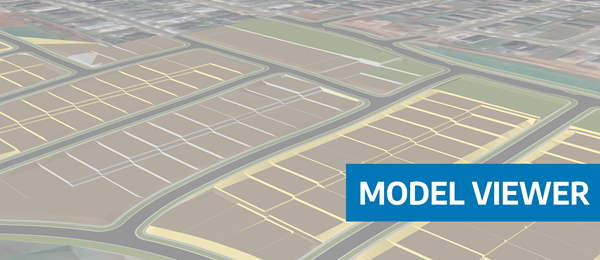
Viewing height or terrain data on your Civil Site Design & Civil 3D surfaces, is now possible with the new Surface Analysis in Model Viewer.
