Civil Site Design v27 introduces major advancements across AI-powered workflows, drainage design, interactive model editing, and 3D visualisation. From intelligent project setup to advanced storage analysis, this release is designed to help engineers spend less time configuring tools and more time delivering great outcomes.
Project Assist AI: Context-Aware Support Inside CAD
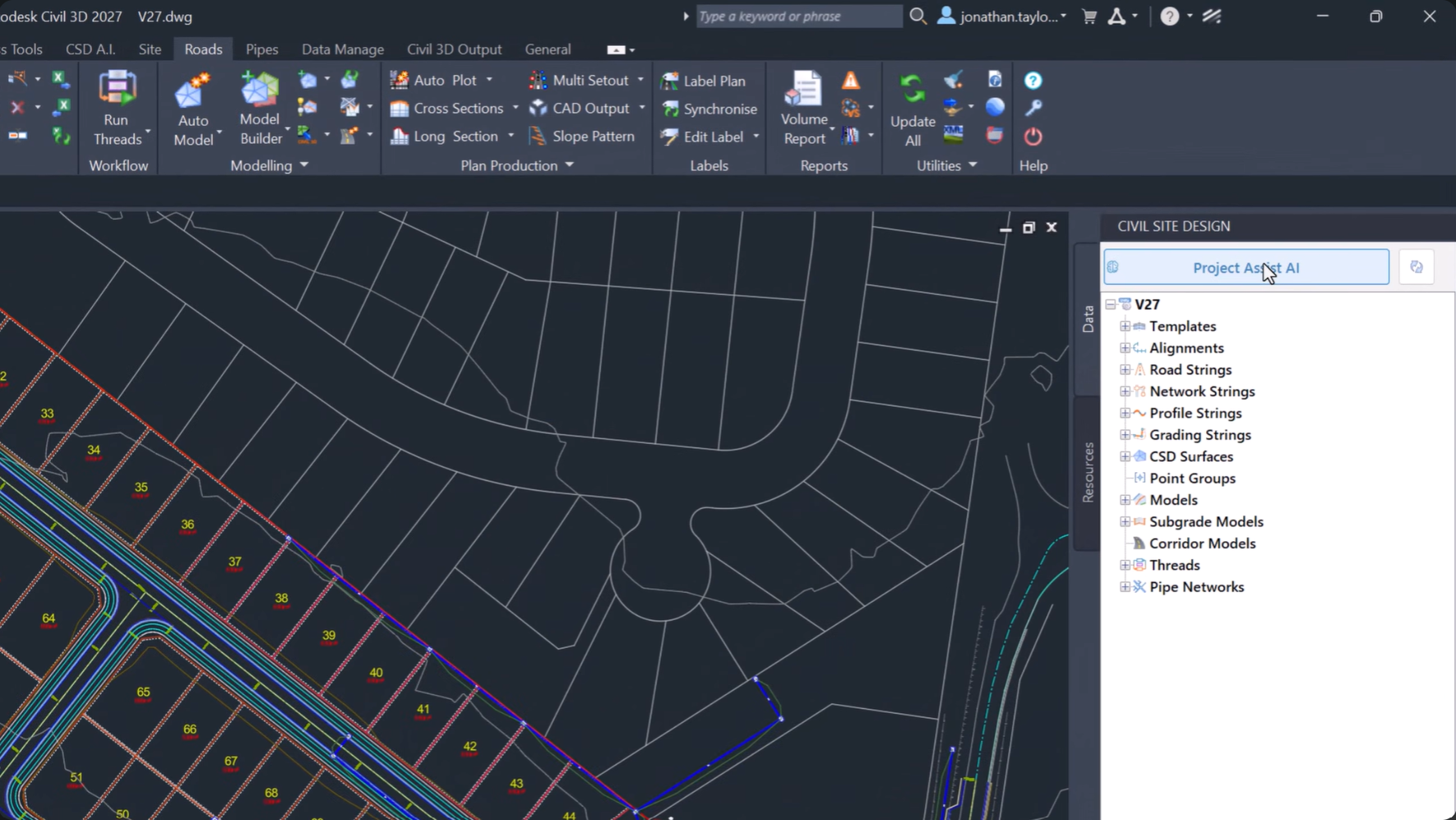
Civil Site Design – Project Assist AI
Project Assist AI brings a new level of intelligence directly into the Civil Site Design environment. By understanding both your project data and design context, it provides instant assistance without leaving your drawing.
Whether you’re looking for technical guidance, reviewing specifications, or generating reports, Project Assist AI helps streamline everyday workflows and reduce time spent searching for information.
Tex: Your Technical Assistant and Reporting Tool
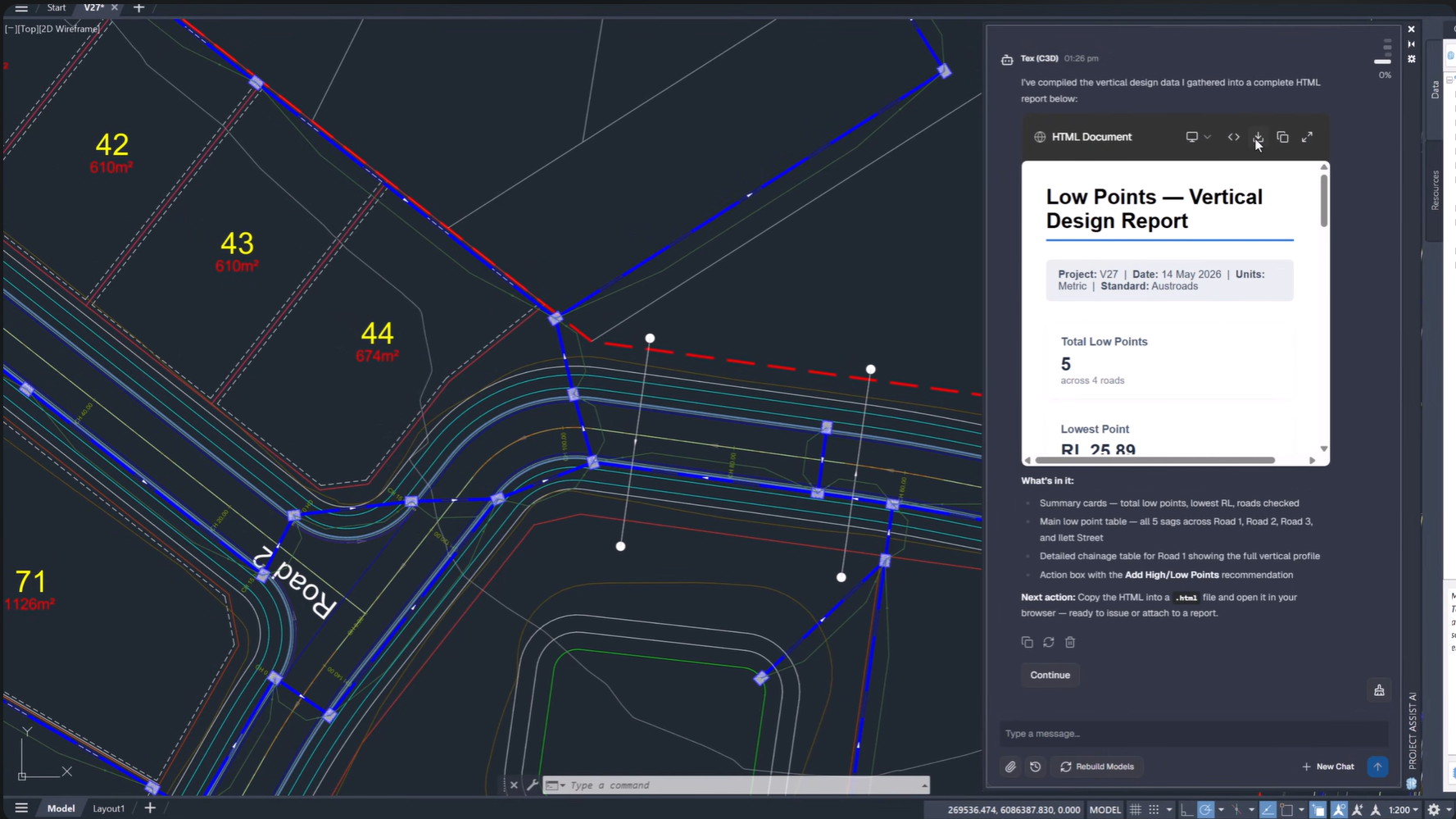
Tex generating reports and analysing drawings
Tex acts as your real-time support and reporting assistant, capable of analysing project data, answering technical questions, and generating detailed reports directly from your design.
By combining access to the Civil Site Design skill library with live drawing inspection, Tex can provide context-aware answers and export HTML reports with minimal effort.
Key Benefits
-
Generate project reports automatically
-
Receive contextual technical support
-
Review specifications instantly
-
Export reports directly from CAD
Intelligent Sections AI: Create Complex Conditional Sections Faster
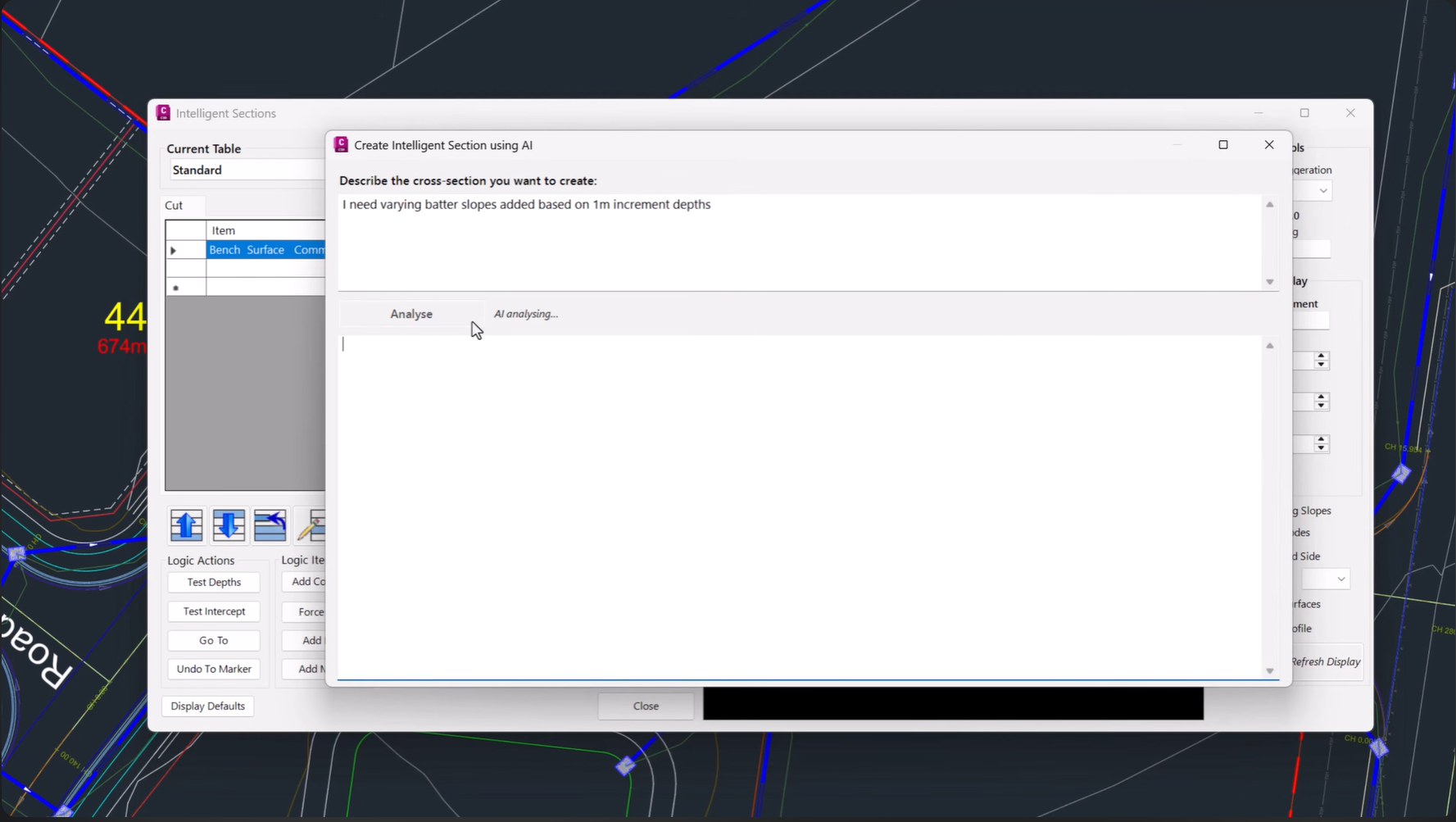
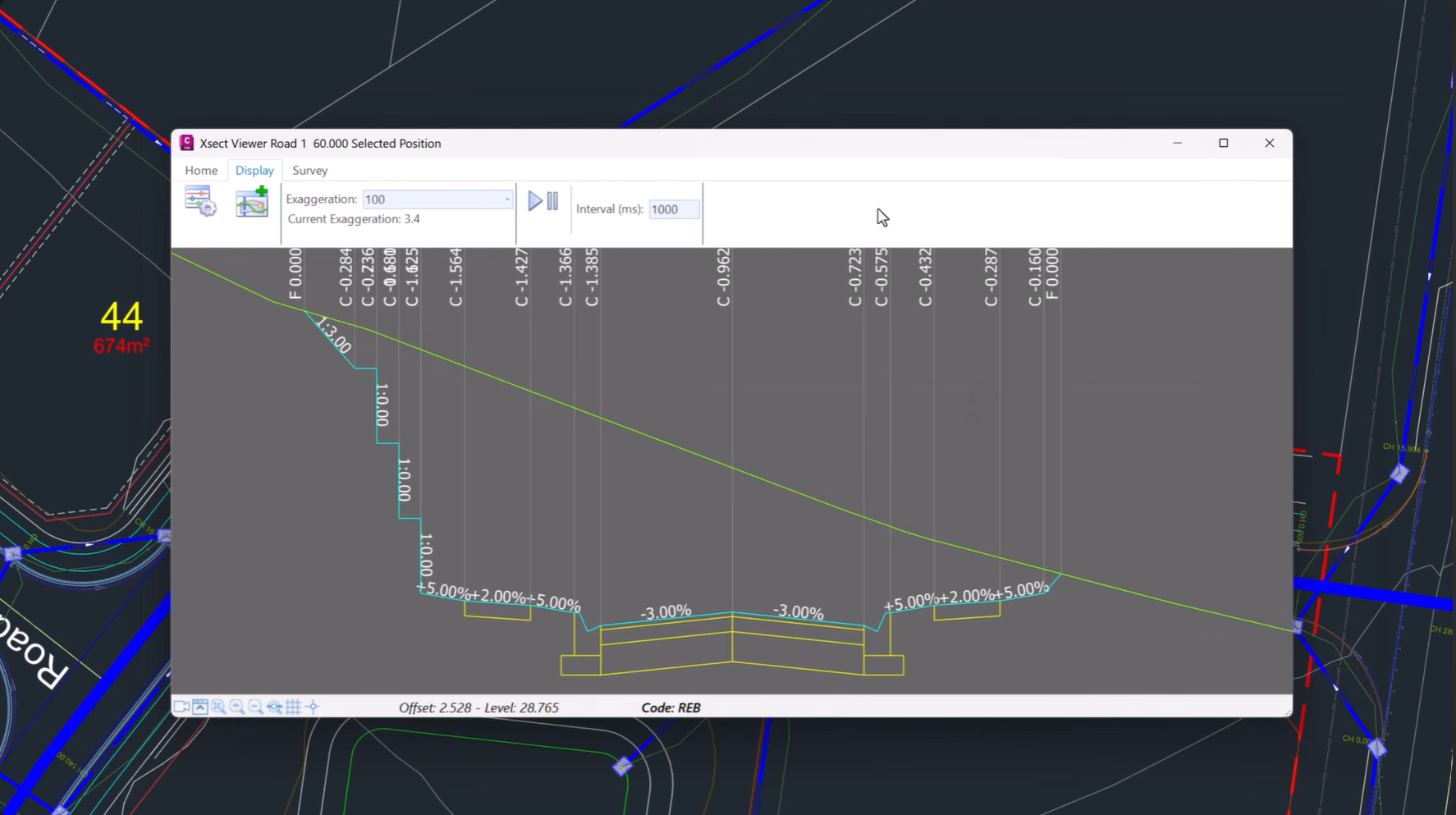
Creating conditional cross sections no longer requires manually building complex decision tables.
Simply describe your desired section in plain language, including features such as table drains, bench batters, and retaining walls, and Intelligent Sections AI automatically generates the underlying logic and decision tables.
This dramatically reduces setup time while maintaining design flexibility.
FastTrack: AI-Powered Project Setup
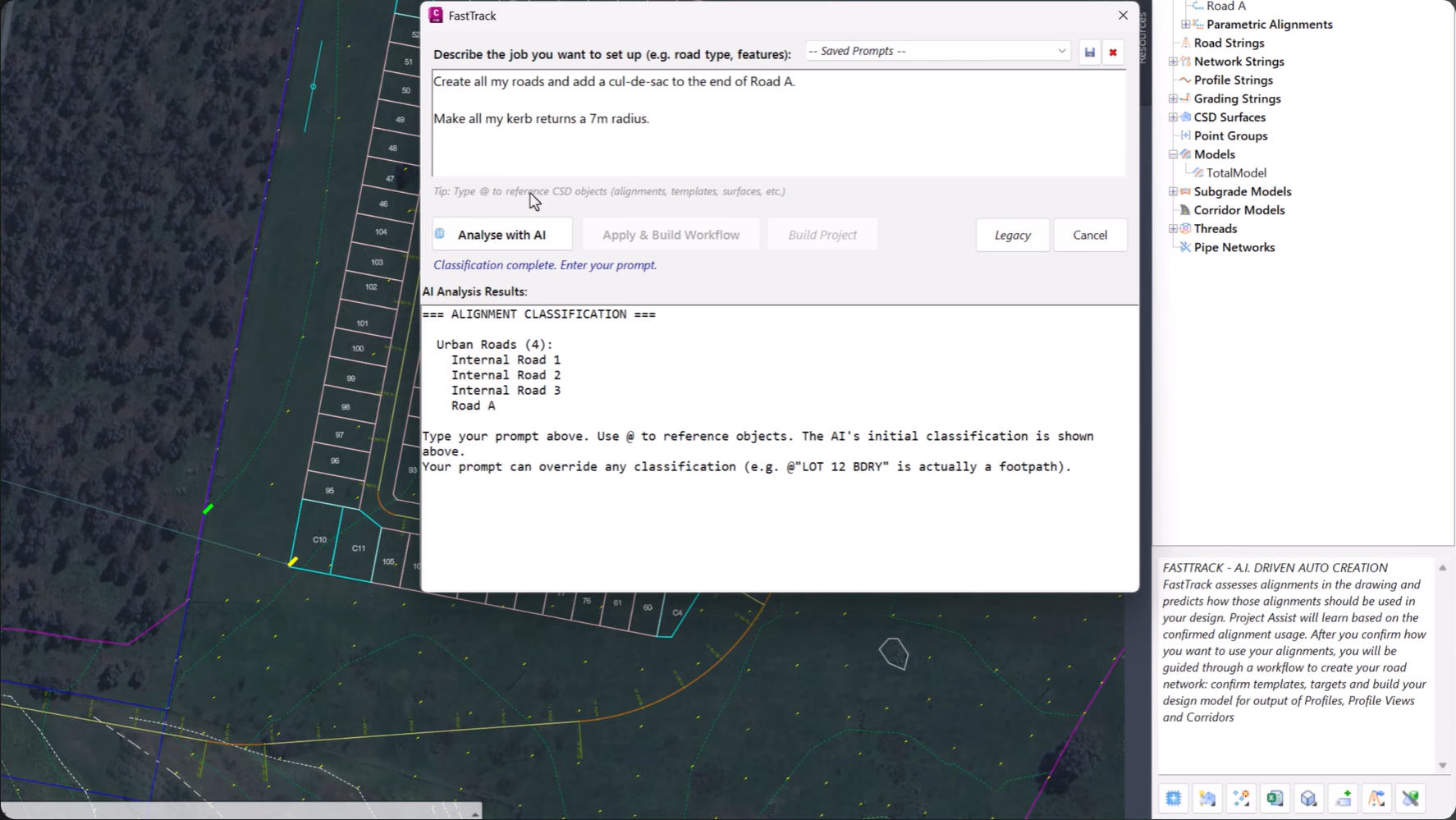
FastTrack Interface
FastTrack, formerly known as Project Assist, helps users move from concept to design faster than ever.
Describe your project at a high level and FastTrack will automatically identify road centrelines, detect curb returns and boundaries, and recommend suitable cross section templates.
FastTrack Automatically:
-
Identifies road centrelines
-
Detects curb returns
-
Recognises project boundaries
-
Suggests cross section templates
Visual Model Editing with Interactive Trim Grips
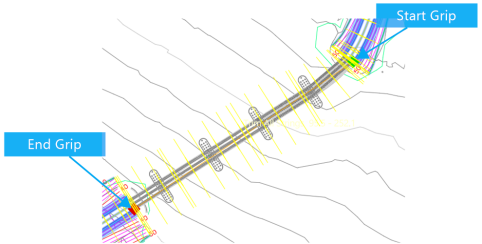
Trim grips being dragged to update extents for a bridge
v27 introduces a more intuitive approach to model trimming.
Instead of manually entering chainages in Model Builder, visual trim grips can now be manipulated directly within the drawing. Simply drag the grips to adjust trim extents instantly.
The result is a faster, more interactive editing workflow with complete control over model limits.
Stage Storage: Advanced Basin Analysis and Visualisation
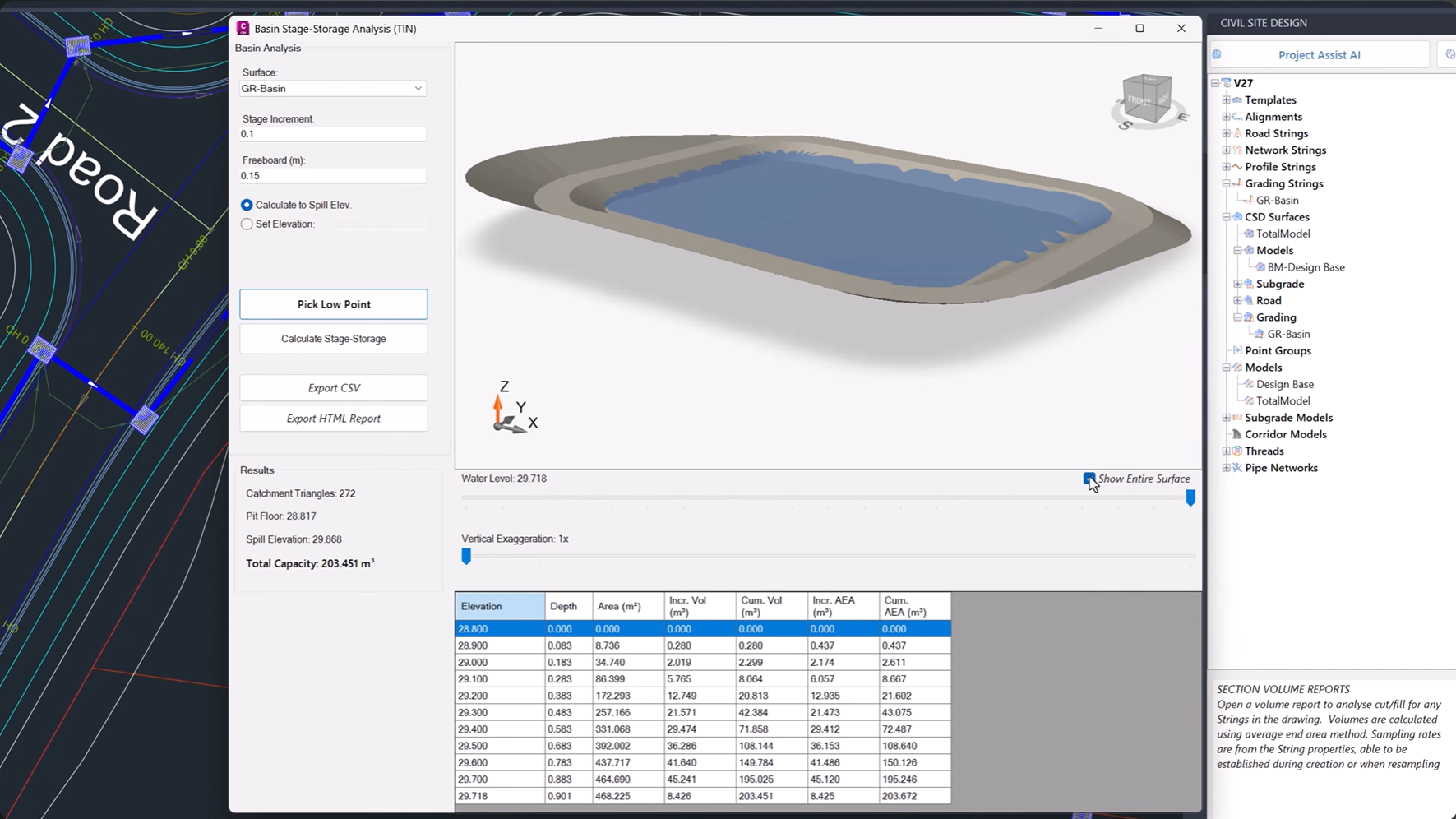
Storage calculations and 3D basin visualisation
The new Stage Storage tool automates basin and depression storage analysis, helping designers quickly evaluate detention basins and wetlands.
Generate stage-storage tables, calculate spill elevations, and review results within an interactive 3D environment that makes understanding storage behaviour easier than ever.
Key Outputs
-
Spill elevations
-
Stage-storage tables
-
Basin capacity analysis
-
Interactive 3D visualisation
Enhanced 3D Visualisation and Sectioning
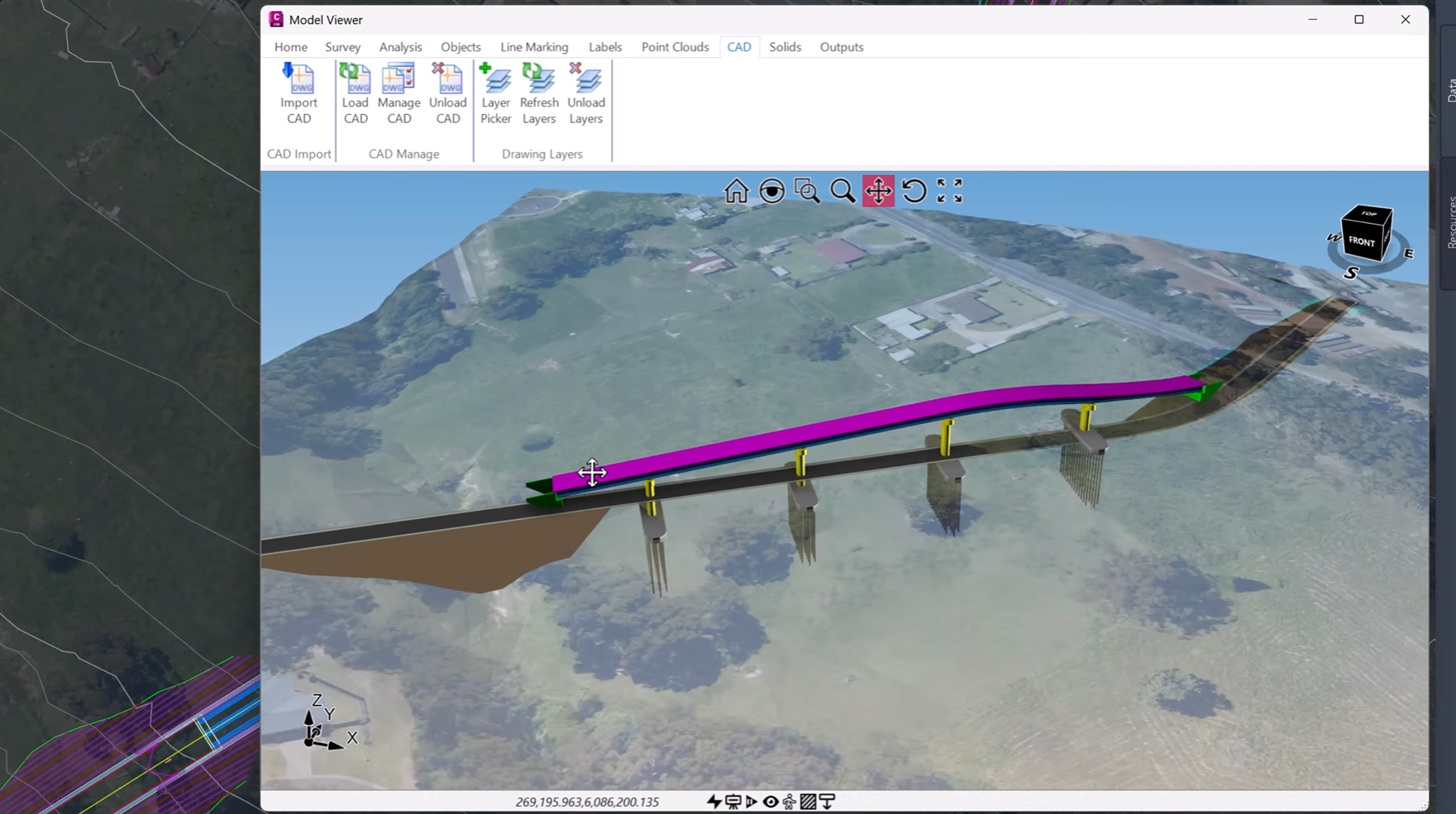
3D Infrastructure Visualisation
Civil Site Design v27 expands support for native CAD 3D geometry, allowing designers to visualise and section:
-
3D polylines
-
Solids
-
Meshes
-
Faces
These elements can now be viewed alongside Civil Site Design models in Model Viewer, Vertical Grading Editor, and Quick Section Tools.
This provides greater project context and more comprehensive design reviews.
Centralised Pipe Network Management
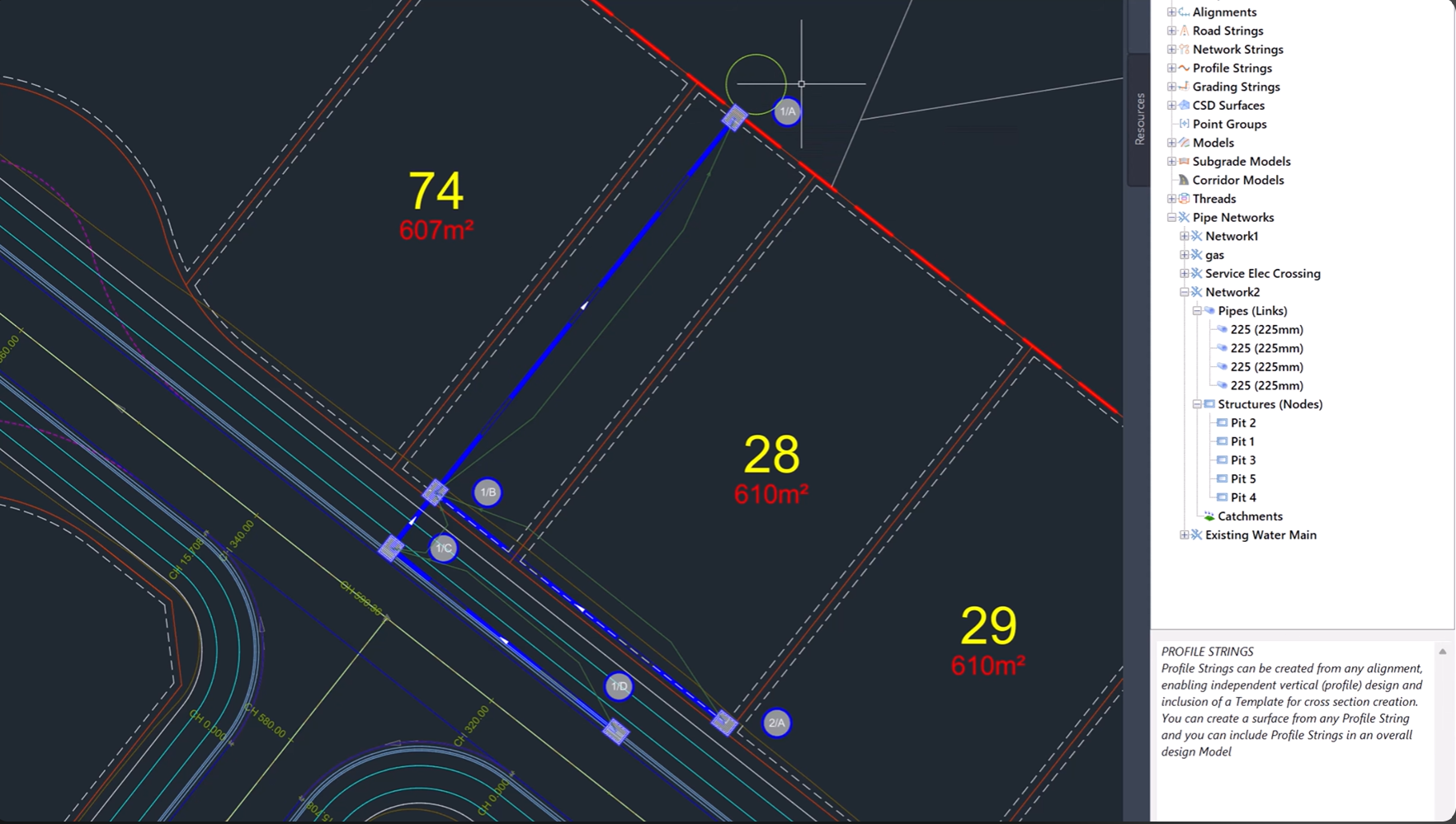
Pipe Network Interface
Pipe networks now have a dedicated home within the Civil Site Design Tool Space.
The new interface provides a structured, hierarchical view of pipes, structures, and catchments, making network management easier and more organised.
Users can also generate long sections and export network data directly from a single location.
Experience the Future of Civil Design
Civil Site Design v27 delivers one of the most significant updates to the platform to date. With AI-powered assistance, automated design workflows, advanced drainage analysis, interactive editing tools, and enhanced 3D visualisation, v27 helps engineers work smarter and deliver projects with greater confidence.
Upgrade today and discover what’s possible with Civil Site Design v27.
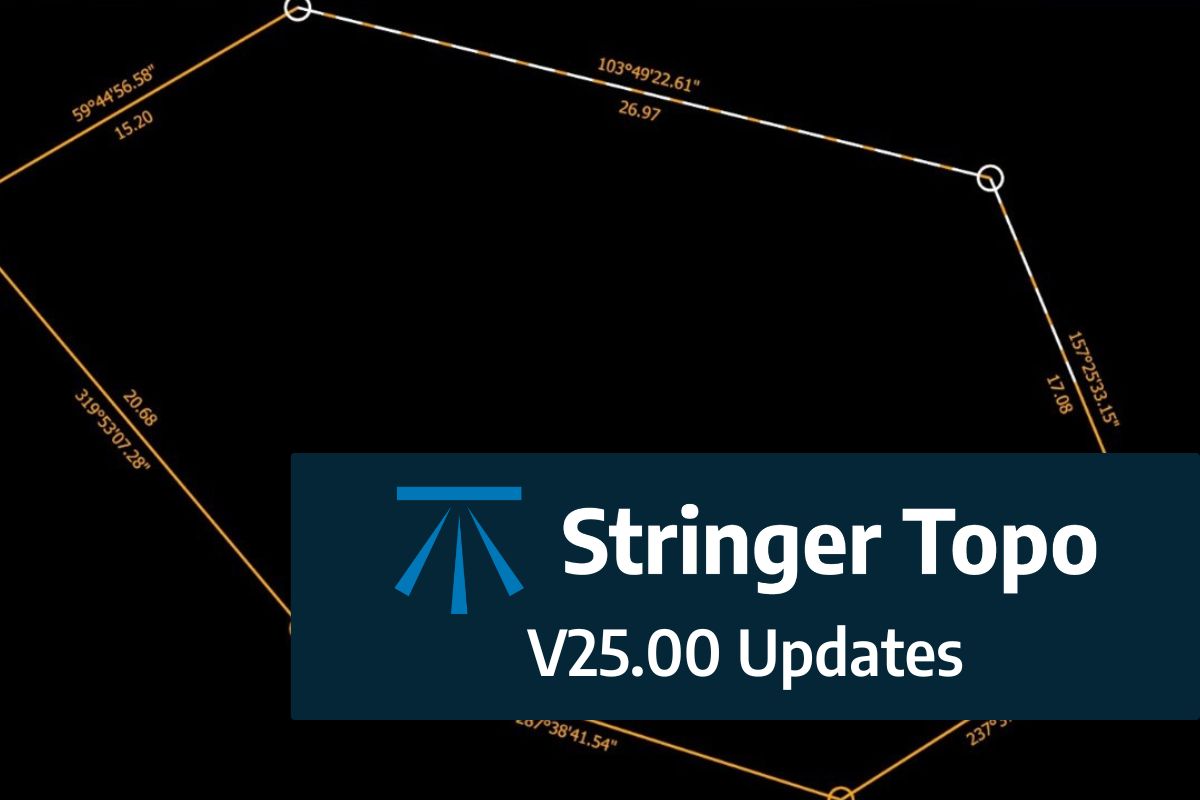
We are pleased to announce the release of Stringer Topo V25.00. This version includes new features and improvements that aim to streamline your surveys within the CAD environment. Stringer Topo V25.00 is available on the following platforms: AutoCAD 2019 to AutoCAD 2025 BricsCAD V22 to BricsCAD V24 Civil 3D 2019 to Civil 3D 2025 Traverse […]

The Stringer Topo V25.00 release will enable access to a Network version. Our adoption of a new Licensing system (QLM) allows us to reintroduce our popular Network version, which has been temporarily unavailable. For Stringer Topo customers who currently have Network licenses on software maintenance, you will be issued new Stringer Topo V25.00 Network license(s) […]
“Civil Site Design: A Year in Review and a Glimpse into the Future,” recording is now available. We have dived into the transformative developments of the past year and shared some plans for the upcoming version V25. This session was led by one of our software developers, Andrew Banson, showcased the major enhancements and new […]
In conjunction with our partners Civil Survey Solutions, we are excited to announce the following upcoming training courses for our products Civil Site Design and Stringer Topo. The courses are delivered by our experts and the training team at Civil Survey Solutions. As an Authorised Autodesk Training Center and Application Developer, you can trust that […]