The screen shots and videos below show the functionality operating on Civil Site Design. The same functionality is accessible in Corridor EZ.
Designing conditional cross sections has traditionally been one of the more time-consuming aspects of road and corridor modelling. Configuring decision tables, defining design rules, and managing multiple conditional scenarios can quickly become complex, particularly on projects that require varying drainage treatments, batters, or retaining structures.
With Intelligent Sections AI, new in Civil Site Design v27, that process becomes dramatically simpler.
Say Goodbye to Manual Decision Tables
Traditionally, creating intelligent cross sections required users to manually build and maintain decision tables that controlled how sections behaved under different design conditions.
While powerful, this process could be time-intensive and often required significant setup before design work could begin.
Intelligent Sections AI removes this barrier by allowing designers to describe their requirements in plain natural language.
Instead of manually configuring logic, users simply explain what they want the section to include, and the AI generates the underlying decision tables and rules automatically.
Describe Your Design Requirements Naturally
Whether your project requires:
-
Table drains
-
Benched batters
-
Retaining walls
-
Multiple conditional design scenarios
Intelligent Sections AI interprets your description and creates the necessary logic behind the scenes.
This means less time spent building decision tables and more time focused on design outcomes.
For example, a designer can describe a road corridor that requires a table drain in cut, a benched batter in fill, and a retaining wall under specific conditions. The AI automatically translates these requirements into a working intelligent section without requiring manual rule creation.
Faster Setup. Greater Productivity.
By automating one of the most technical setup processes within corridor design, Intelligent Sections AI helps teams:
-
Reduce project setup time
-
Eliminate repetitive manual configuration
-
Improve consistency across projects
-
Minimise errors in decision table creation
-
Accelerate the design workflow
This is particularly valuable on projects with multiple design conditions, where traditional setup can become increasingly complex.
How Intelligent Sections AI Works
The workflow is simple:
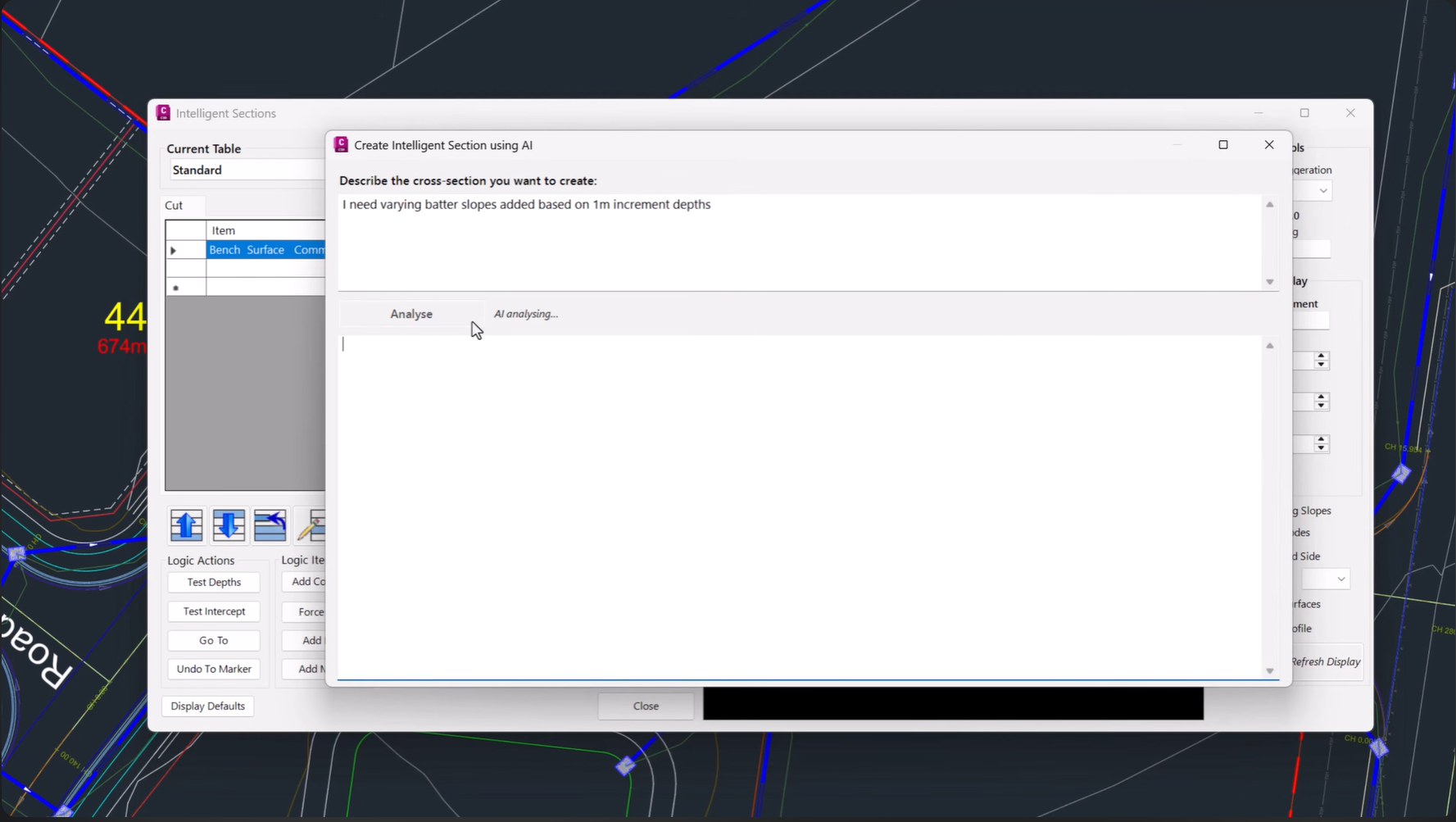
1. Describe Your Section
Enter your cross section requirements using plain language.
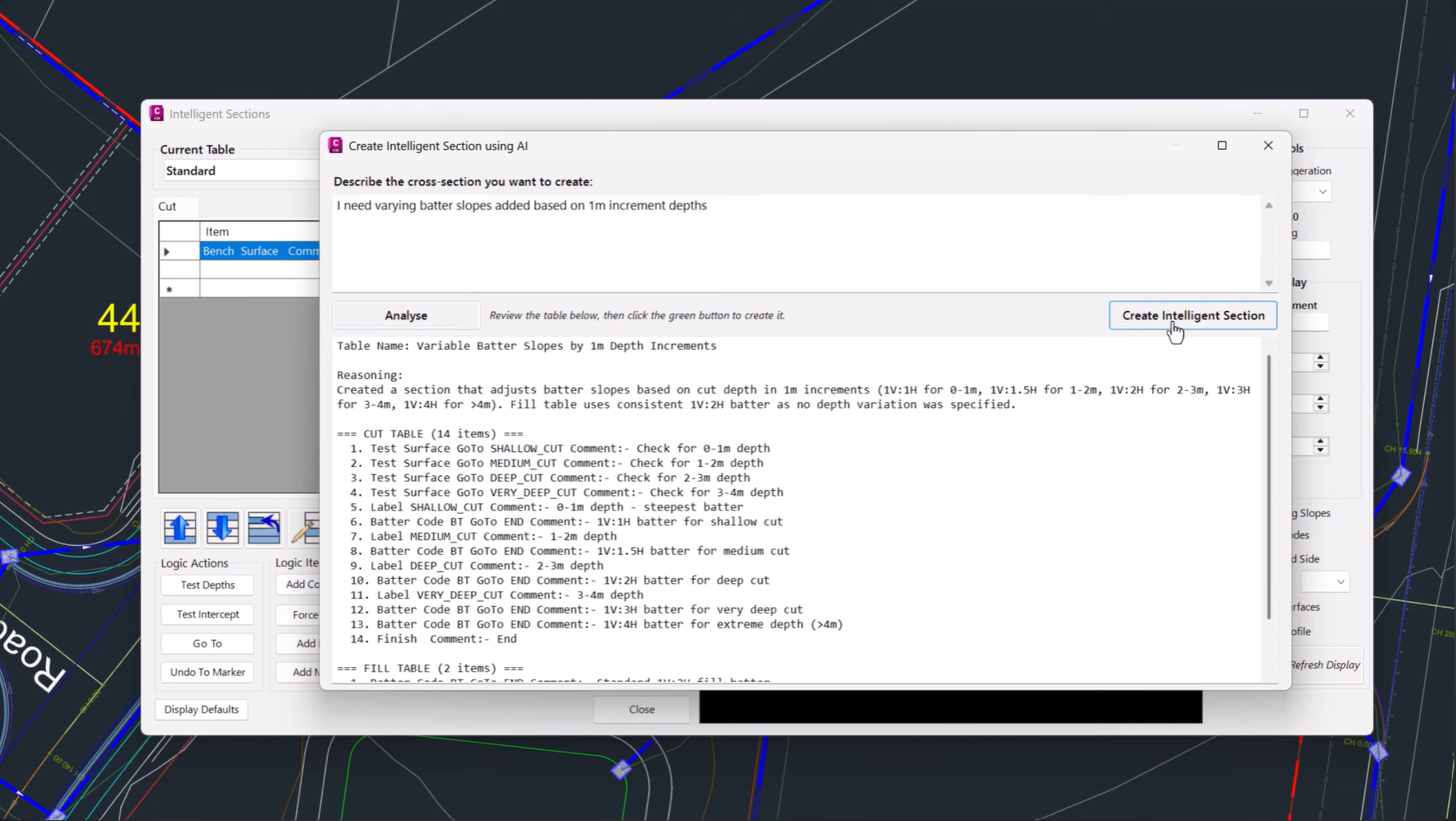
2. Generate the Logic
The AI analyses your description and automatically creates the required decision tables and conditional logic.
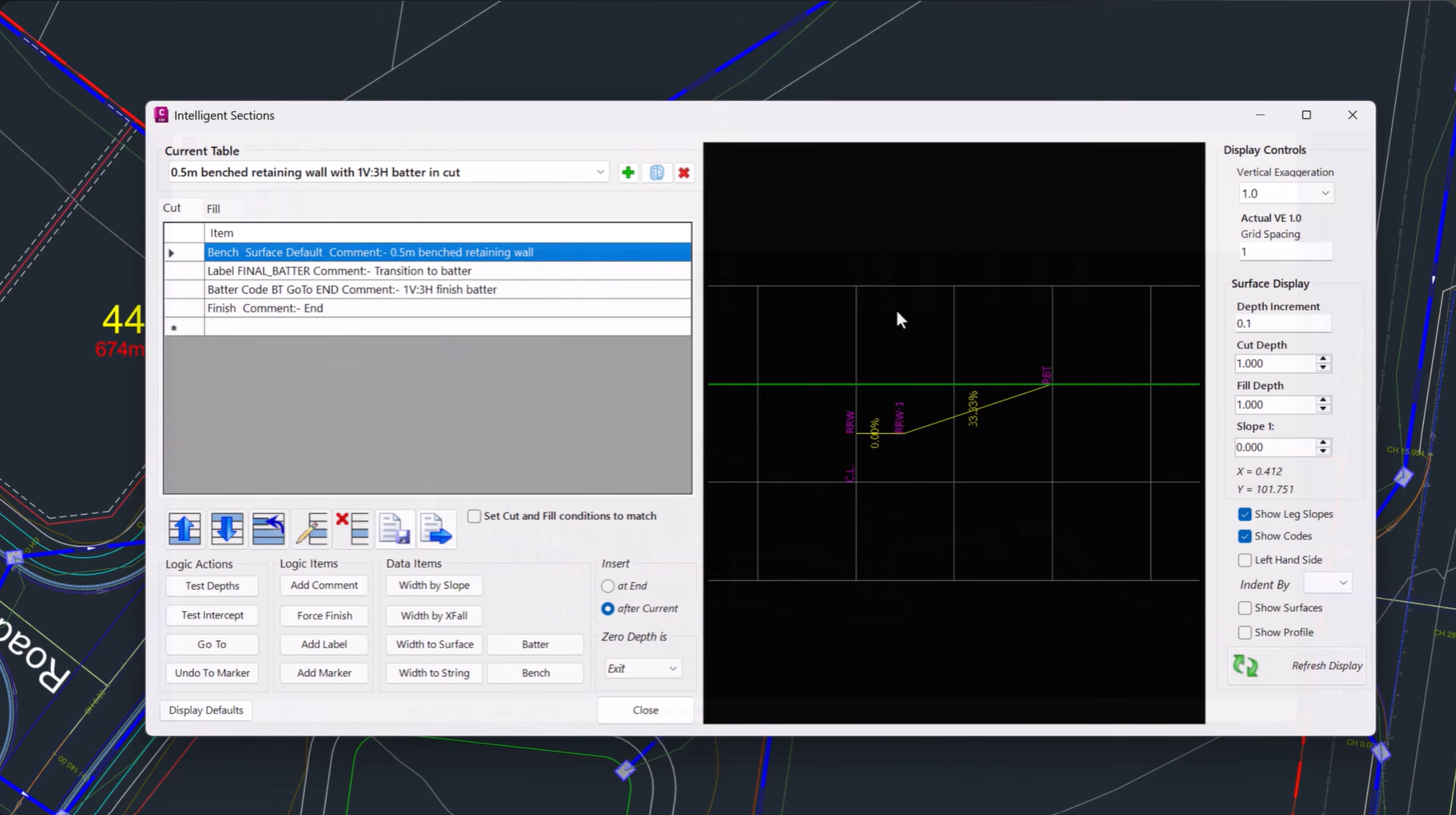
3. Review and Apply
Review the generated section, make any adjustments if required, and apply it to your design.
The result is a fully configured intelligent section created in a fraction of the time traditionally required.
A Smarter Approach to Corridor Design
Intelligent Sections AI represents a significant step forward in how designers interact with Civil Site Design.
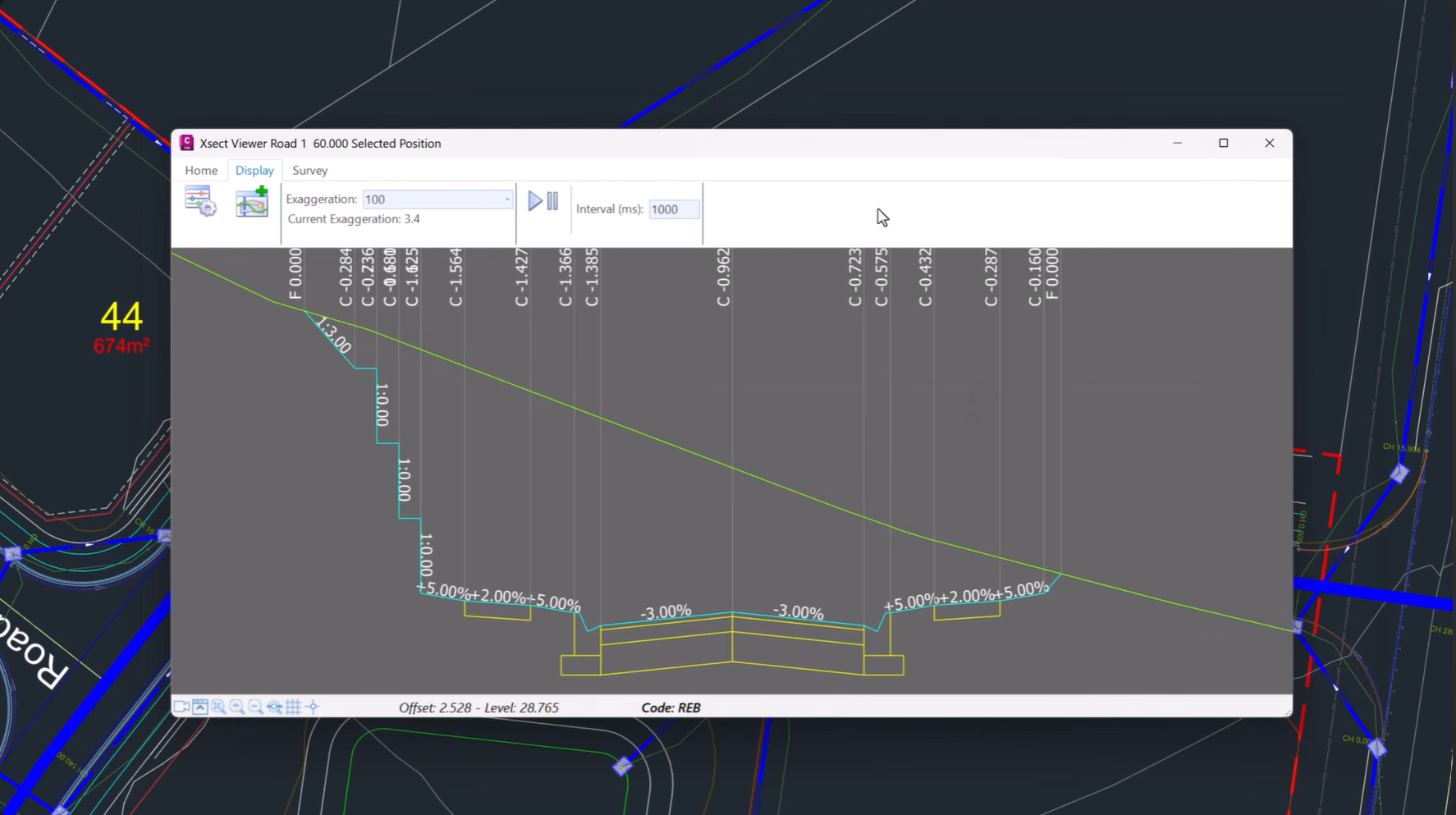
Rather than manually translating engineering requirements into complex decision tables, users can now communicate design intent directly and allow AI to handle the underlying configuration.
The result is a faster, more intuitive workflow that reduces setup effort while maintaining the flexibility required for sophisticated corridor modelling.
Available in Civil Site Design and Corridor EZ v27
Intelligent Sections AI is available now in Civil Site Design and Corridor EZ v27, it forms part of the growing suite of AI-powered tools designed to help engineers and designers work smarter, reduce repetitive tasks, and deliver projects more efficiently.
Discover how Intelligent Sections AI can help you create complex conditional cross sections in seconds and transform the way you build corridor models.
We are pleased to announce the release of Stringer Topo V25.00. This version includes new features and improvements that aim to streamline your surveys within the CAD environment. Stringer Topo V25.00 is available on the following platforms: AutoCAD 2019 to AutoCAD 2025 BricsCAD V22 to BricsCAD V24 Civil 3D 2019 to Civil 3D 2025 Traverse […]

The Stringer Topo V25.00 release will enable access to a Network version. Our adoption of a new Licensing system (QLM) allows us to reintroduce our popular Network version, which has been temporarily unavailable. For Stringer Topo customers who currently have Network licenses on software maintenance, you will be issued new Stringer Topo V25.00 Network license(s) […]

“Civil Site Design: A Year in Review and a Glimpse into the Future,” recording is now available. We have dived into the transformative developments of the past year and shared some plans for the upcoming version V25. This session was led by one of our software developers, Andrew Banson, showcased the major enhancements and new […]
In conjunction with our partners Civil Survey Solutions, we are excited to announce the following upcoming training courses for our products Civil Site Design and Stringer Topo. The courses are delivered by our experts and the training team at Civil Survey Solutions. As an Authorised Autodesk Training Center and Application Developer, you can trust that […]