The 2027 releases from Autodesk support NET 10, and in this environment serialised files are no longer supported. We use serialised files for different data file storage and settings purposes.
Below is a list of existing files that are converted to comply with .NET10:
CSA Settings folder
These changes apply to new projects (files copied from this Settings folder into new projects) and any project where these settings files are directly accessed
-
PointParameters.dat
-
Manages linework parameters that apply to COGO points
-
Located in the CSA Settings folder
-
-
SurveyStringsSets.dat
-
Manages the automatic creation of survey strings (2D, 3D polylines and breaklines)between COGO Points
-
Located in the CSA Settings folder
-
Also locally stored per project
-
-
Pipe Network Conversion Files
-
These files control the exchange of pipes and structures from Civil Site Design to Civil 3D
-
Located in the CSA Settings folder
-
Original file extension .ncf
-
-
Settings.dat and SettingsUS.dat
-
Manages the FastTrack Settings
-
-
Learning.dat
-
Part of the FastTrack learning system. This file trains FastTrack based on your alignment naming conventions
-
-
subStyles.dat
-
Sets display styles to apply in Subgrade Model Manager
-
-
subgradeSectionStyles.dat
-
Manages the subgrade section styles (determining which codes and layers to include in a subgrade model
-
-
subViewerManager.dat
-
Viewer (Display) settings for Subgrade Model Manager
-
-
gripSettings.dat
-
Manages the grip controls for display of objects in the drawing
-
Local Data files
These changes apply to the current project and changes are made when the project is first opened in V27.00
-
ProjectAssistSettings.dat
-
Local version of settings.dat, managing FastTrack settings in the current project
-
-
subModels.dat
-
Contains the created subgrade models
-
-
subStyles.dat
-
Sets display styles to apply in Subgrade Model Manager
-
-
subgradeSectionStyles.dat
-
Manages the subgrade section styles (determining which codes and layers to include in a subgrade model
-
-
subViewerManager.dat
-
Viewer (Display) settings for Subgrade Model Manager
-
-
bricsCADSurfaceManager.dat
-
Manages the exchange connections between BricsCAD and CSD/Stringer
-
-
mvProfileSectionAnalsysis.dat
-
Manages the Model Viewer surface analysis controls
-
-
pipesVGESettings.dat
-
Display settings in the Pipes VGE window
-
-
Settings.dat
-
Manages the FastTrack Settings
-

With the release of V24 has come a number of new and improved features. Join us as we explore the major functionality update, Toolspace, which has been developed to enhance the user experience for operators at all levels.

With the release of V24 has come a number of new and improved features. Join us as we go through the new additions to Stringer and how they can help you streamline and improve your workflow.
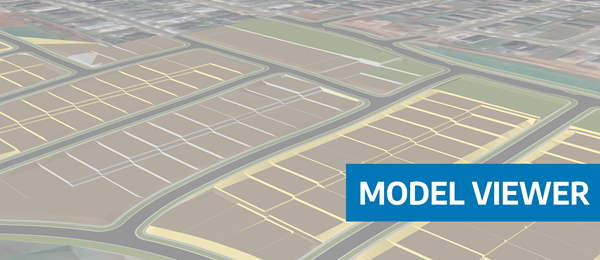
Viewing height or terrain data on your Civil Site Design & Civil 3D surfaces, is now possible with the new Surface Analysis in Model Viewer.
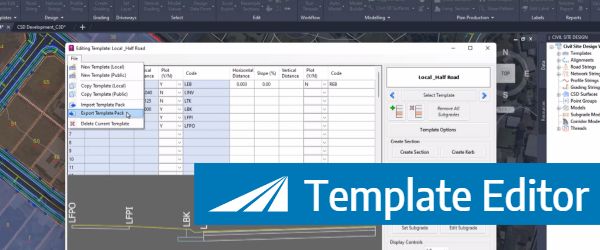
In Civil Site Design V24, users can now save templates as packed (zipped) files, making them portable for sharing with teams and projects.