
A much-requested command from customers has been to provide a tool that converts a 2D polyline into a 3D polyline, by draping it onto a surface.
This is useful for draping design elements to represent controls such as limit of works, matching to existing features and to provide 3D information for further design.
If you are looking for a tool to set objects to adopt surface elevations, check out Drape Objects. This command allows you to select the following objects and set the elevations of these to match the surface:
- Polylines
- Lines and arcs
- Text
- CAD Points, and
- Blocks
The command is simple. After selecting the surface you then can pick a layer containing the objects you want or else pick and choose from the drawing. Next, you pick whether to modify the selected objects or create new objects.
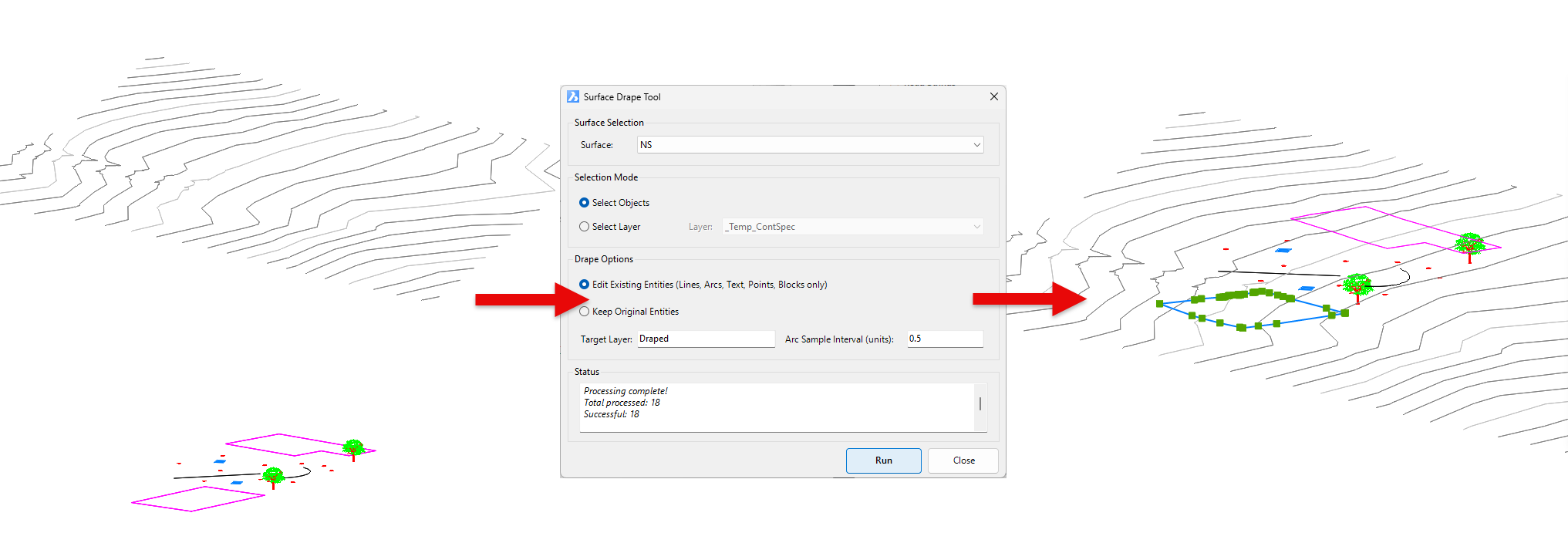
You have the option of making copies of the objects or replacing/modifying them.
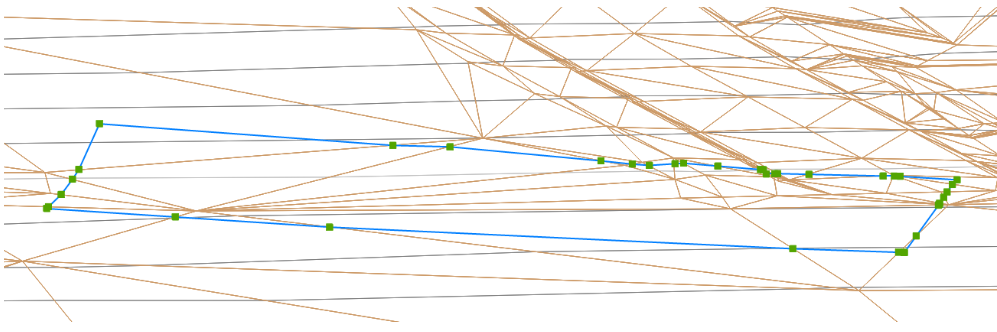
For polylines, vertices are added to exactly match the surface elevations including all grade breaks.
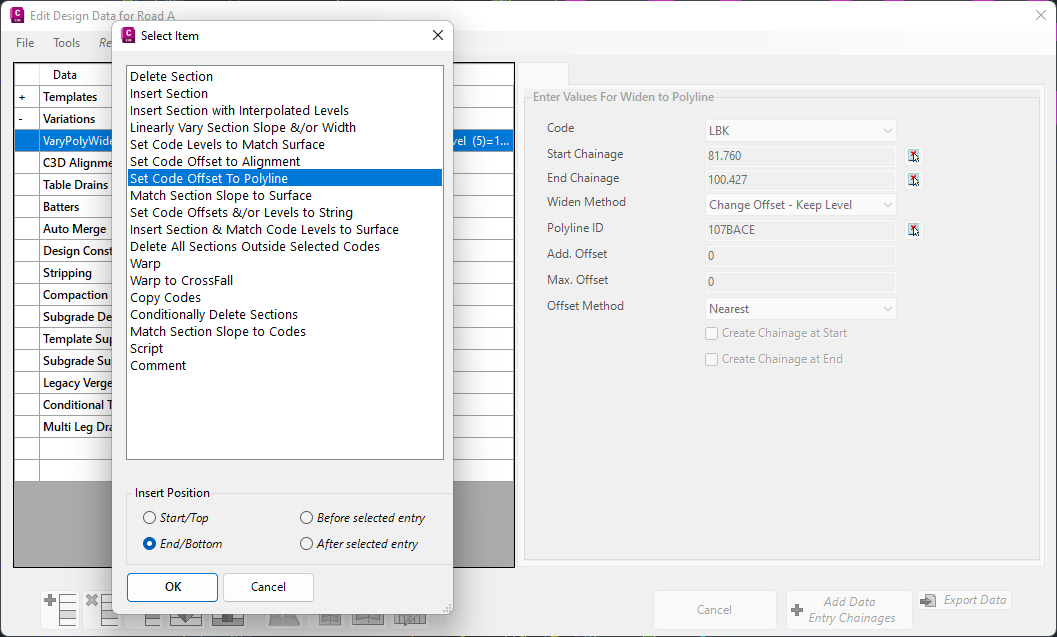
In Civil Site Design V24.10, the Design Data Form has undergone some ergonomic improvements and seen the addition of a new Design Variation – Offset by Polyline.
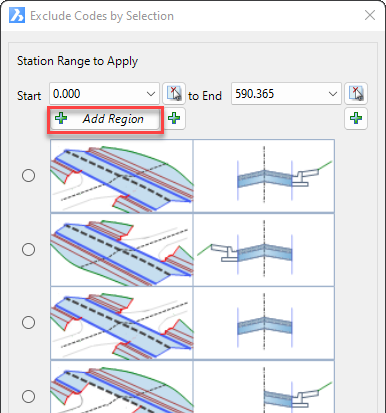
In Civil Site Design V24.10, the Model Builder Edit/Trim by Selection & Group forms received an update which can have a significant impact on selecting sections for trimming models.
We are pleased to announce that a sister company to Civil Survey Solutions Pty Ltd has been formed called ‘Civil Survey Applications Pty Ltd’ to take the development and marketing of the Civil Site Design and Stringer Topo software to the next level.

With the release of V24 has come a number of new and improved features. Join us as we explore the major functionality update, Toolspace, which has been developed to enhance the user experience for operators at all levels.
