A much-requested command from customers has been to provide a tool that converts a 2D polyline into a 3D polyline, by draping it onto a surface.
This is useful for draping design elements to represent controls such as limit of works, matching to existing features and to provide 3D information for further design.
If you are looking for a tool to set objects to adopt surface elevations, check out Drape Objects. This command allows you to select the following objects and set the elevations of these to match the surface:
- Polylines
- Lines and arcs
- Text
- CAD Points, and
- Blocks
The command is simple. After selecting the surface you then can pick a layer containing the objects you want or else pick and choose from the drawing. Next, you pick whether to modify the selected objects or create new objects.
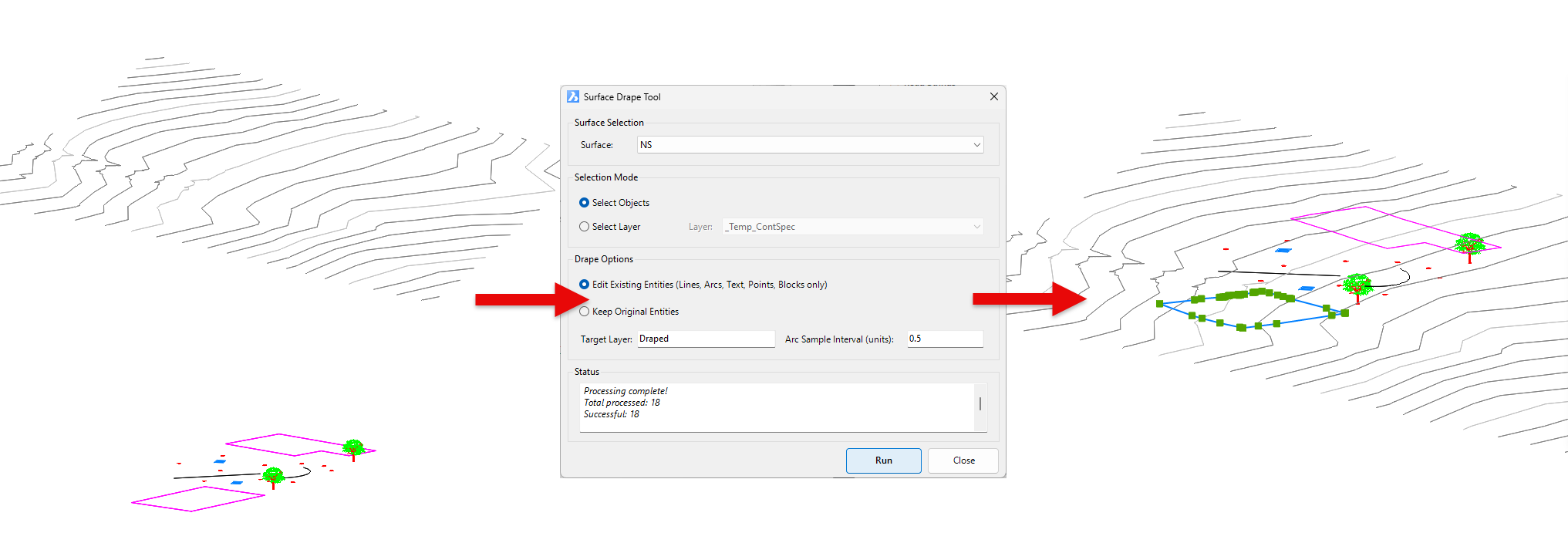
You have the option of making copies of the objects or replacing/modifying them.
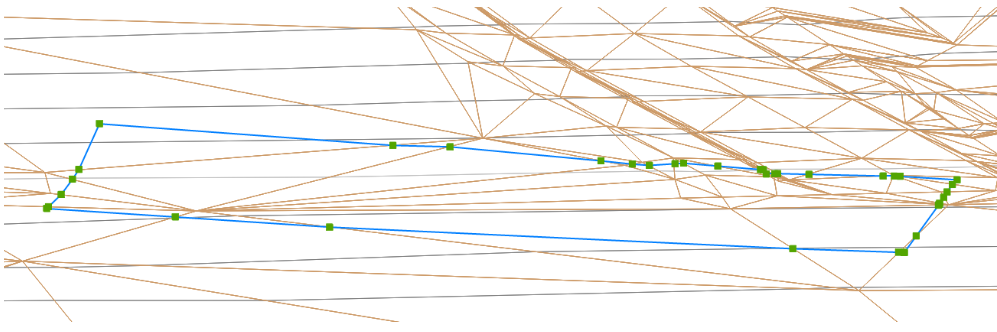
For polylines, vertices are added to exactly match the surface elevations including all grade breaks.
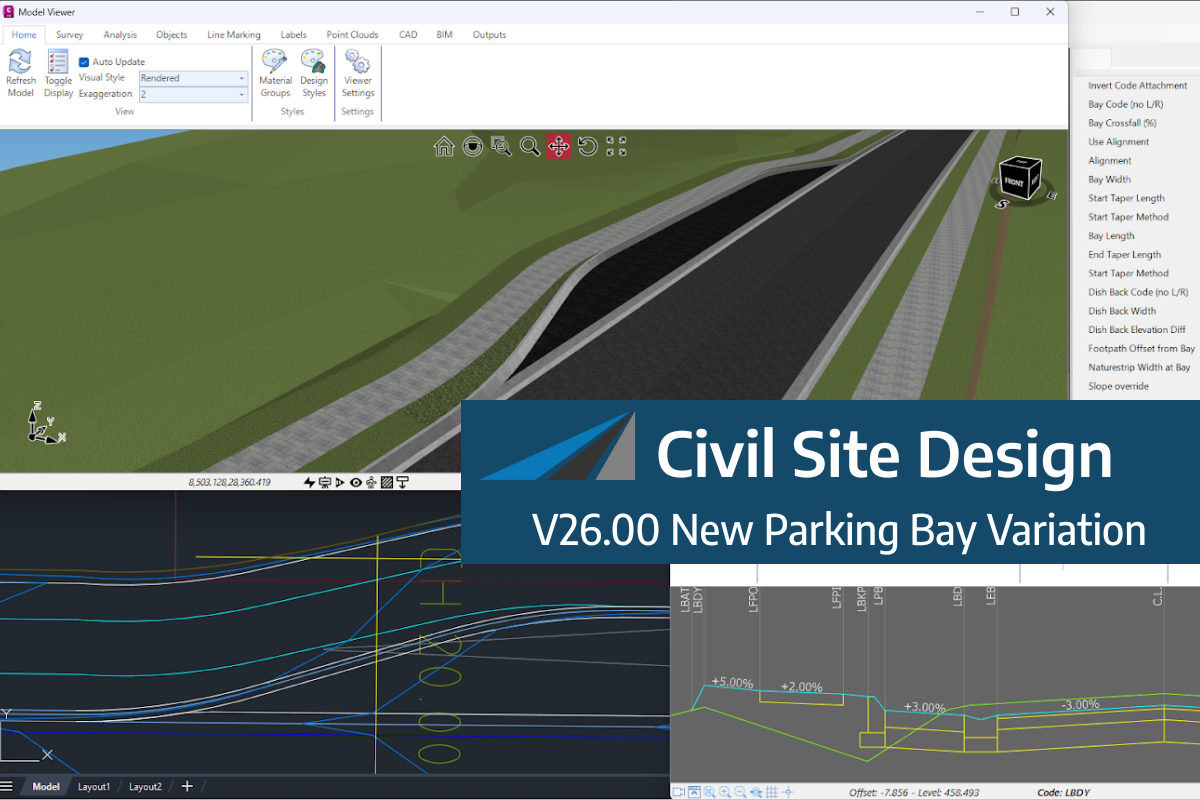
We know parking bays come in all shapes and sizes, and that many of them deserve an independently designed string (with cross sections attached to the string to describe the kerb shape of the parking bay). For those parking/bus or widening bays that can be readily described with cross section edits, we’ve got you covered […]
If you are currently using Legacy Stringer Topo and are interested in transitioning to the new dynamic version of Stringer Topo – but are concerned about migrating your current settings? These webinars will walk you through how easy the transition is and the workflow of transferring settings from Legacy Stringer to the current version based […]
In this webinar, join our experts, Todd Brewster and Jonathan Taylor as they unpack some of the major updates within Civil Site Design V25.10. 0:00 Introduction 5:08 Project Storage 24:48 Intersection Manager 36:50 Sectional Volumes & Multi Viewer 54:16 Reference Profiles 1:12:19 Projected Profiles (Civil 3D only) Key features and improvements of Civil Site Design […]