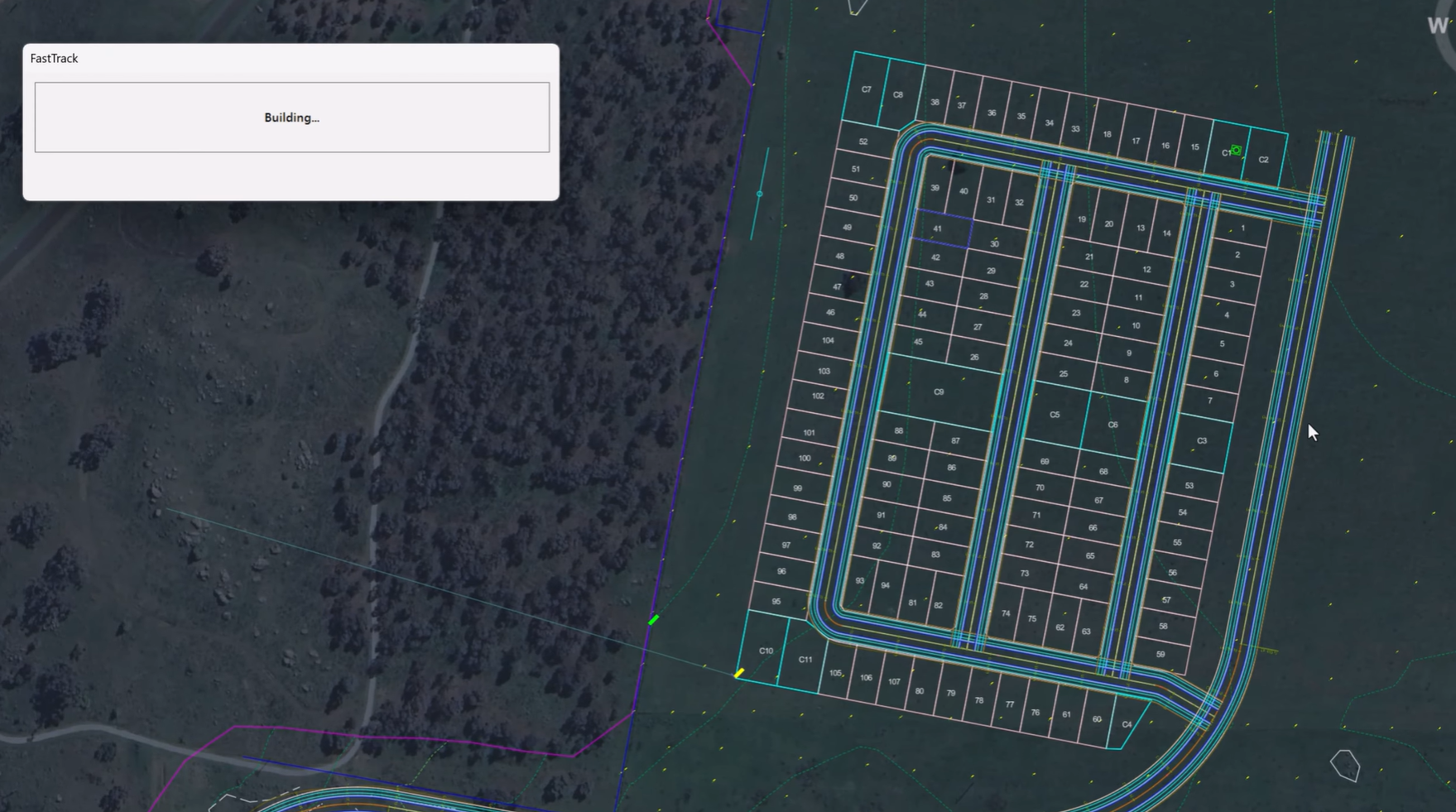
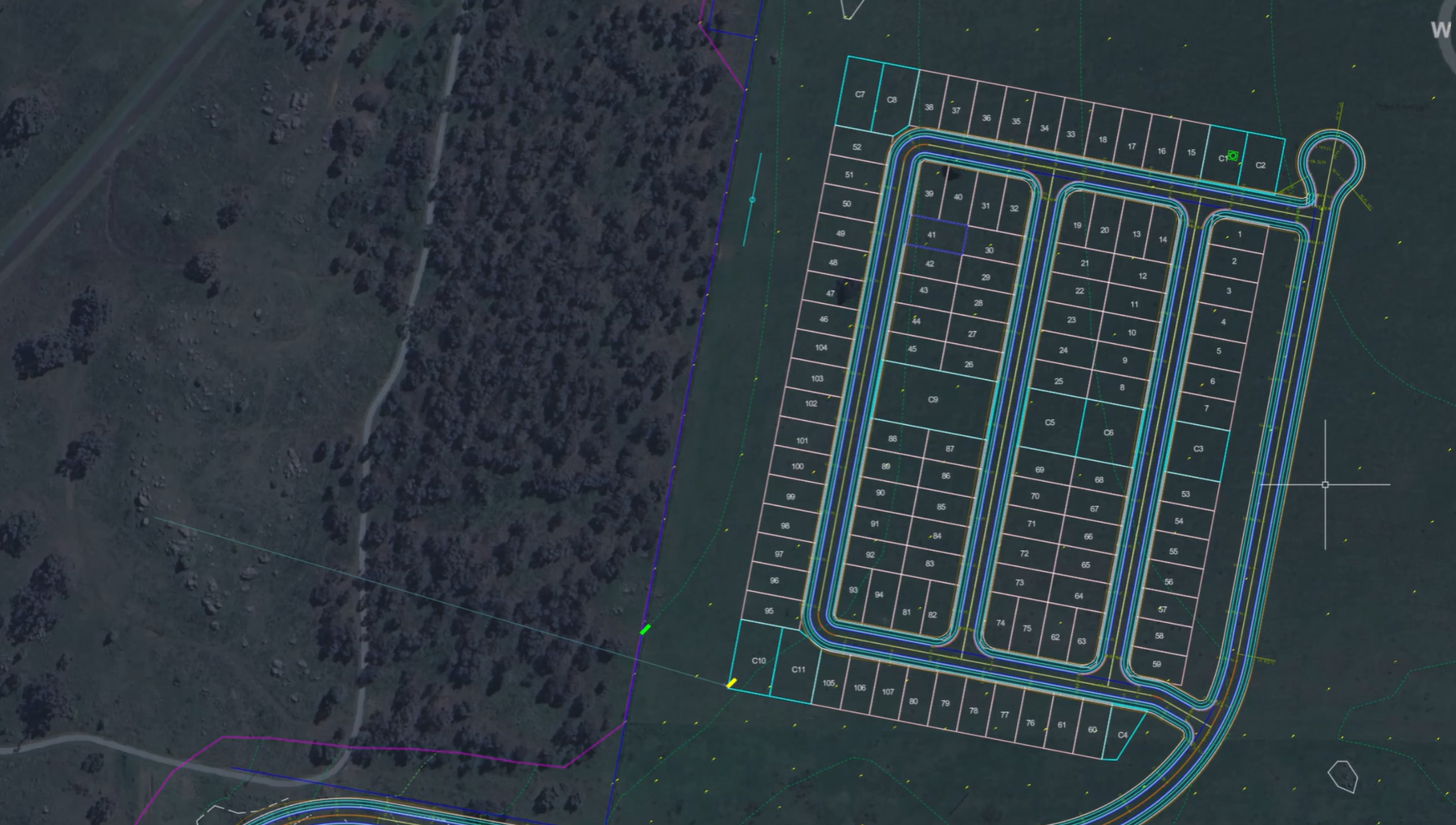
The screen shots and videos below show the functionality operating on Civil Site Design. The same functionality is accessible in Corridor EZ.
Project setup is often one of the most repetitive and time-consuming stages of the design process. Identifying road centrelines, defining project boundaries, detecting kerb returns, and assigning cross sections can require significant manual effort before design work can even begin.
With FastTrack, new in Civil Site Design v27, that process becomes dramatically faster.
Powered by artificial intelligence, FastTrack helps transform conceptual project information into a structured design framework, allowing engineers to move from project setup to design development with greater speed and efficiency.
Introducing FastTrack
Formerly known as Project Assist, FastTrack has evolved into an intelligent project setup tool designed to automate many of the early tasks involved in road and land development projects.
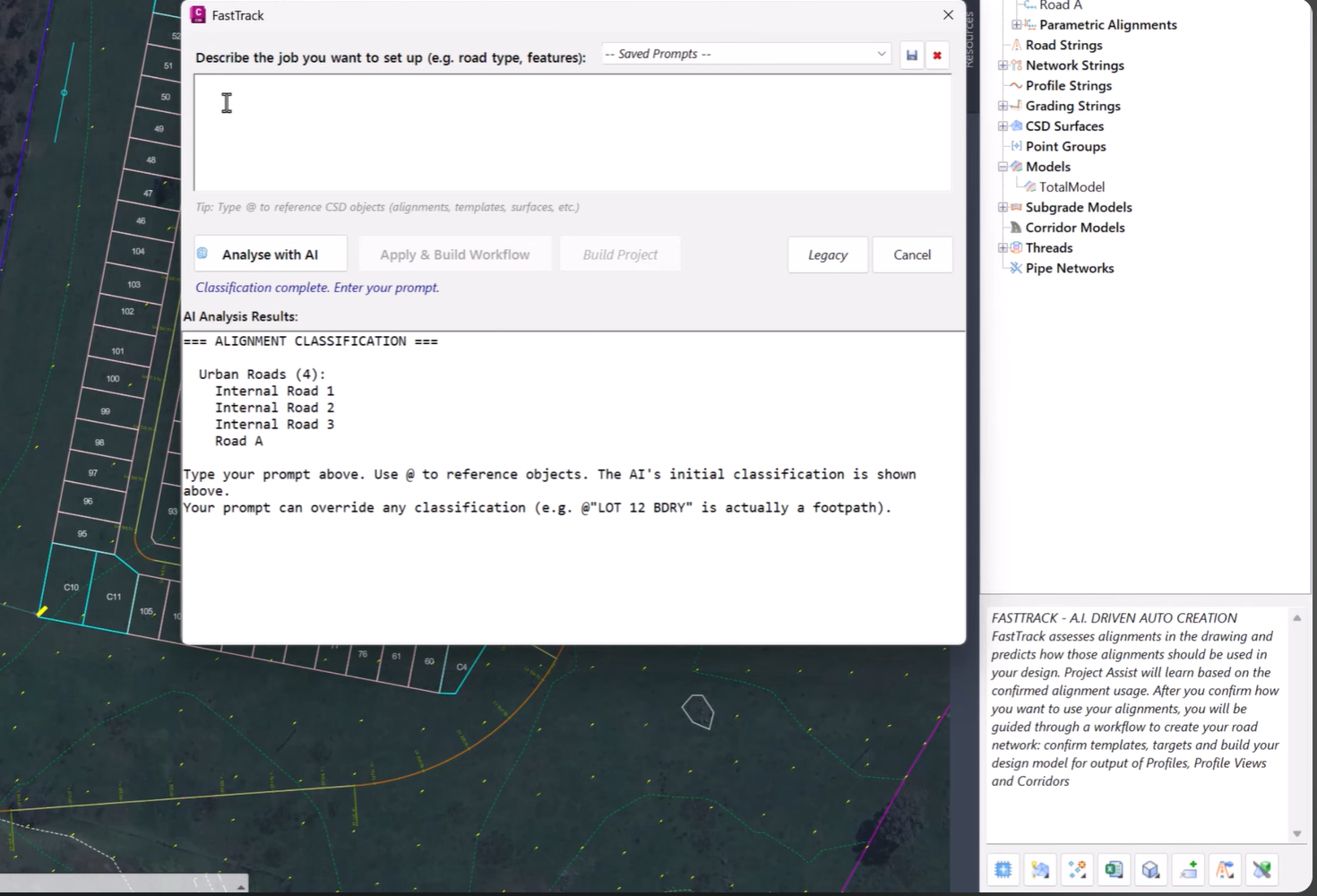
Rather than manually identifying key design elements, users can simply describe their project conceptually and allow FastTrack to analyse the design environment and recommend the most appropriate setup.
The result is a faster, more streamlined workflow that reduces repetitive tasks while maintaining complete control over the final design.
Describe Your Project in Plain Language
FastTrack begins with a simple concept: describe your project as you would to a colleague.
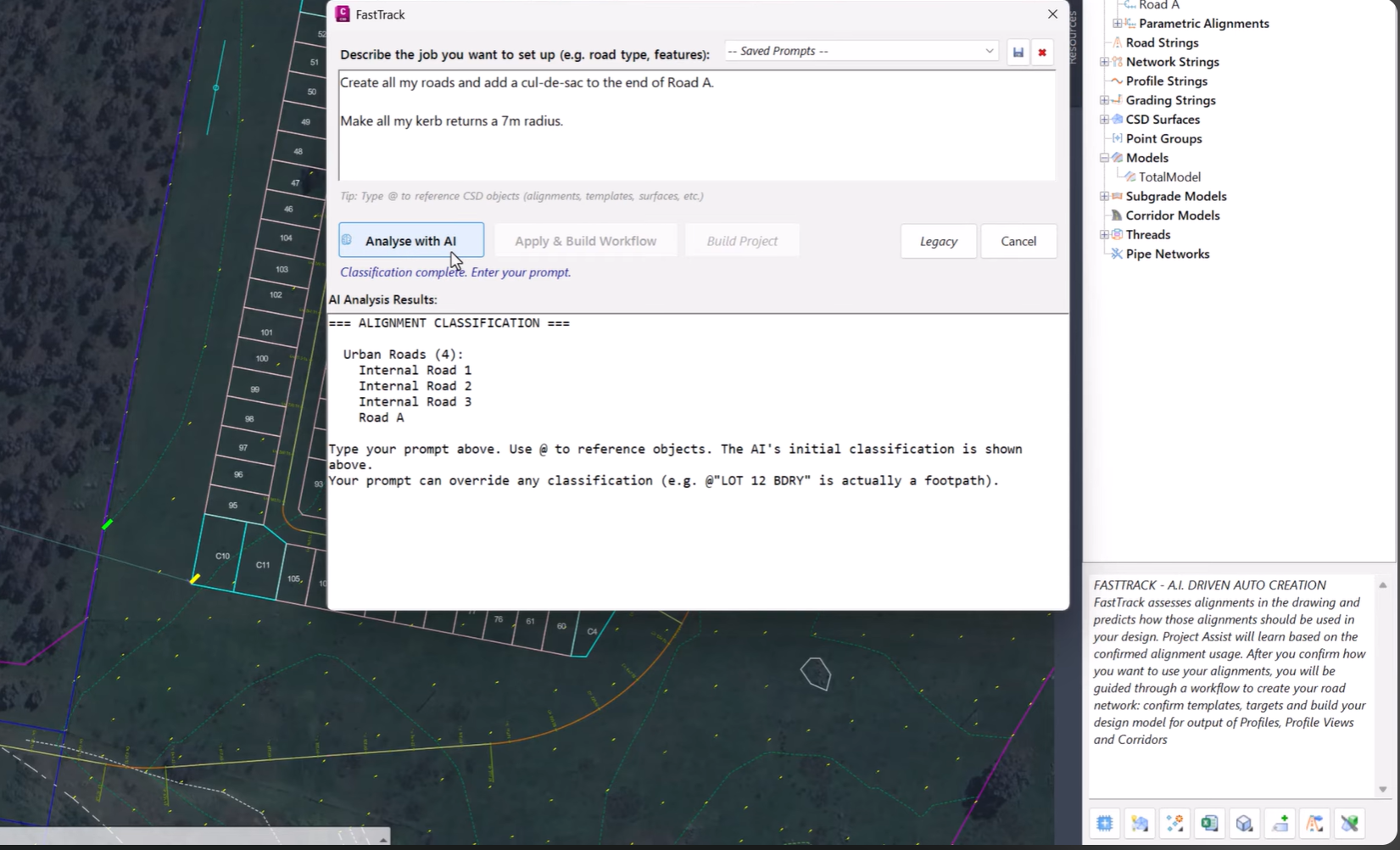
Using AI-powered analysis, FastTrack interprets your project requirements and automatically identifies critical design elements within the drawing.
This removes much of the manual setup traditionally required and helps establish a design-ready model in a fraction of the time.
Automatically Identify Road Centrelines
Road centrelines form the backbone of most civil design projects.
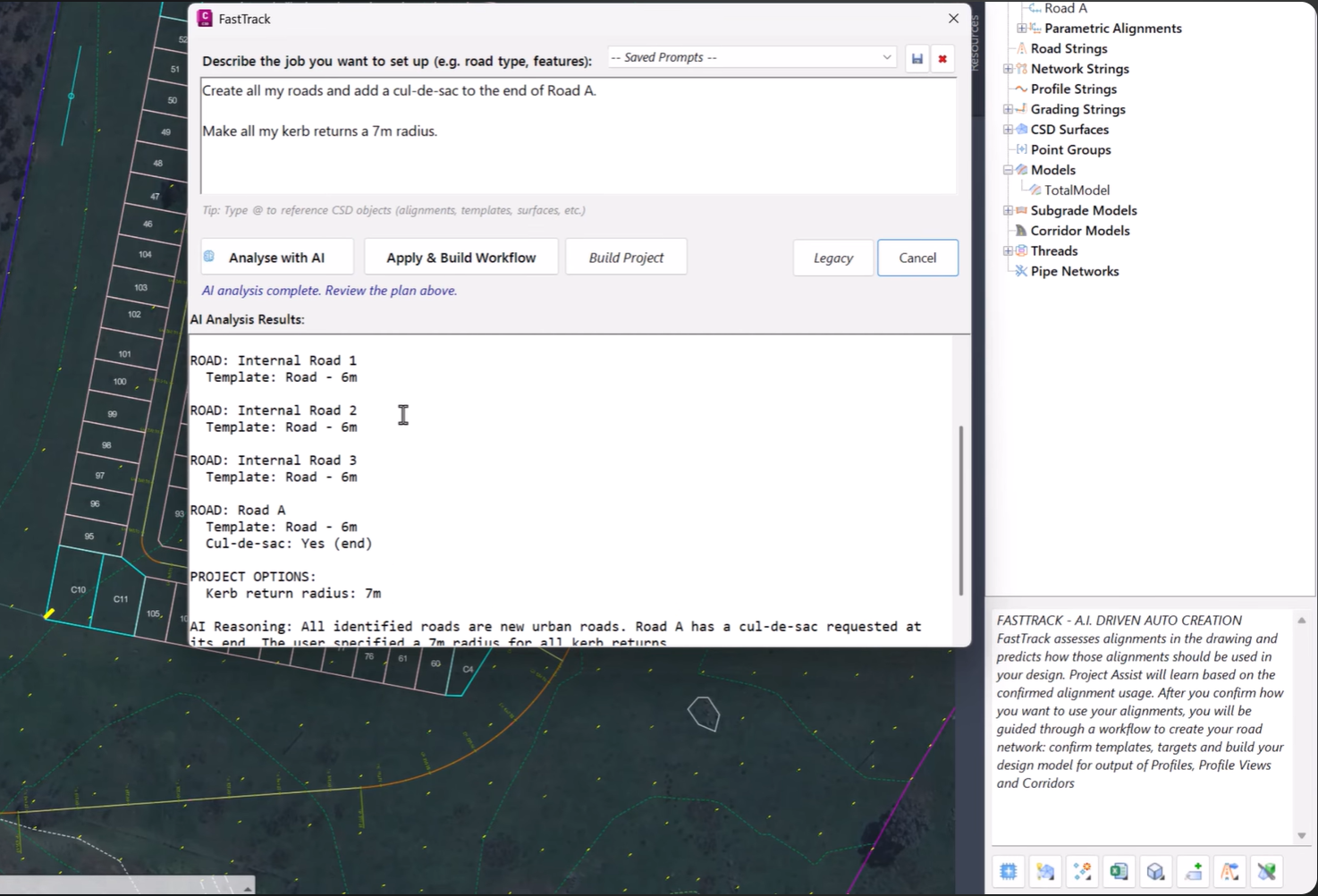
FastTrack can automatically detect and identify road centrelines throughout the project, reducing the need for manual selection and setup.
This not only saves time but also helps establish a consistent foundation for downstream design workflows.
Detect Kerb Returns and Project Boundaries
In addition to identifying road geometry, FastTrack can automatically recognise:
-
Kerb returns
-
Project boundaries
-
Key design extents
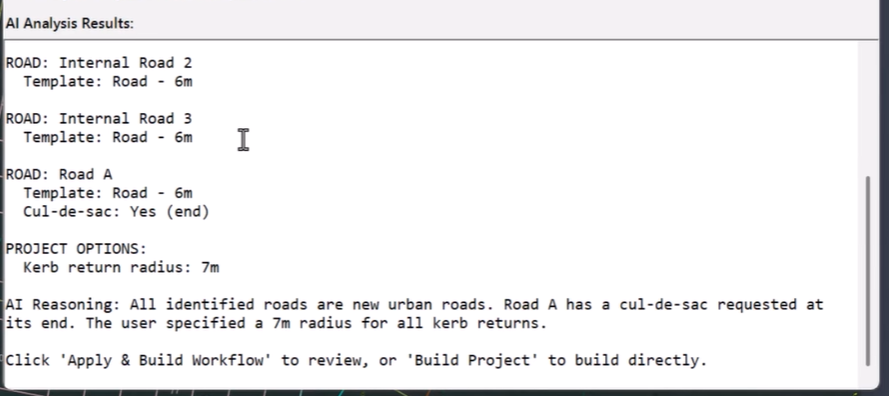
By intelligently identifying these elements, FastTrack helps reduce the amount of repetitive drawing interrogation typically required during project setup.
This enables users to focus on reviewing and refining the proposed setup rather than manually building it from scratch.
Intelligent Cross Section Template Assignment
Once the project layout has been analysed, FastTrack can recommend and assign appropriate cross section templates based on the detected design characteristics.
This provides a significant head start when developing corridor models and helps ensure consistency across the project.
Rather than spending time manually matching templates to individual design elements, users can leverage AI-assisted recommendations and then adjust them as required.
Automation Without Losing Control
While FastTrack dramatically reduces setup time, it has been designed to keep engineers firmly in control of the design process.
Before any model is built, users can review the proposed workflow, verify detected features, and make adjustments where necessary.
This balance between automation and engineering oversight ensures that projects benefit from increased efficiency without sacrificing design accuracy or flexibility.
Key Benefits of FastTrack
-
AI-powered project setup
-
Automatic road centreline detection
-
Kerb return identification
-
Boundary recognition
-
Intelligent cross section template assignment
-
Reduced repetitive setup tasks
-
Faster transition from concept to design
-
Full review and approval before model creation
Accelerate Your Design Workflow
FastTrack represents a major step forward in automating one of the most labour-intensive phases of civil design.
By intelligently identifying project features and recommending suitable design configurations, FastTrack allows engineers to spend less time preparing projects and more time delivering high-quality outcomes.
Whether you’re working on residential subdivisions, urban roads, or land development projects, FastTrack helps streamline setup, improve consistency, and accelerate project delivery.
Available Now in Civil Site Design and Corridor EZ v27
FastTrack is available as part of Civil Site Design and Corridor EZ v27 and forms an important component of the platform’s expanding suite of AI-powered design tools.
Experience a faster, smarter approach to project setup and discover how FastTrack can help transform the way you begin every project.
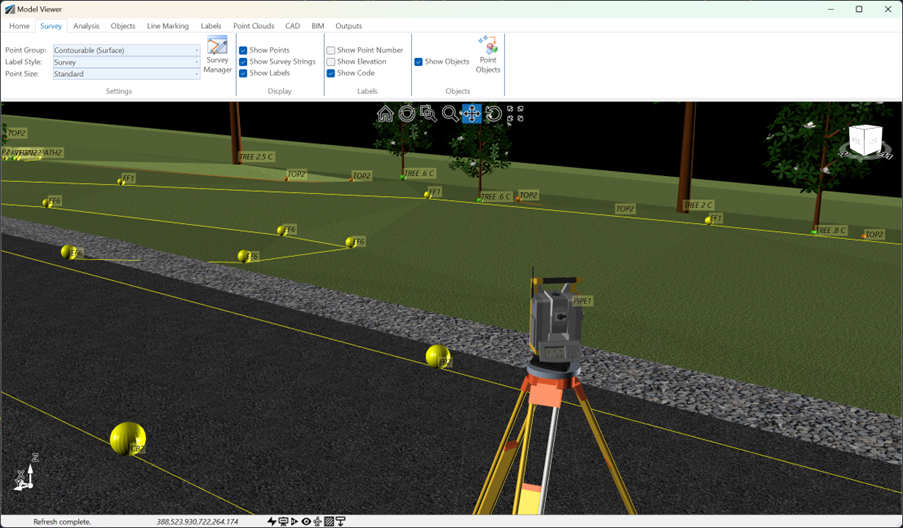
See how Civil Site Design efficiently incorporates and displays survey data, specifically cogo points and survey strings, within your design framework. This article explores this through the lens of a rural road project, demonstrating how cogo points and survey strings from the topographical survey are seamlessly integrated and visualised in Civil Site Design's Cross Section Viewer, VGE (Vertical Grading Editor), and 3D viewer (Model Viewer).
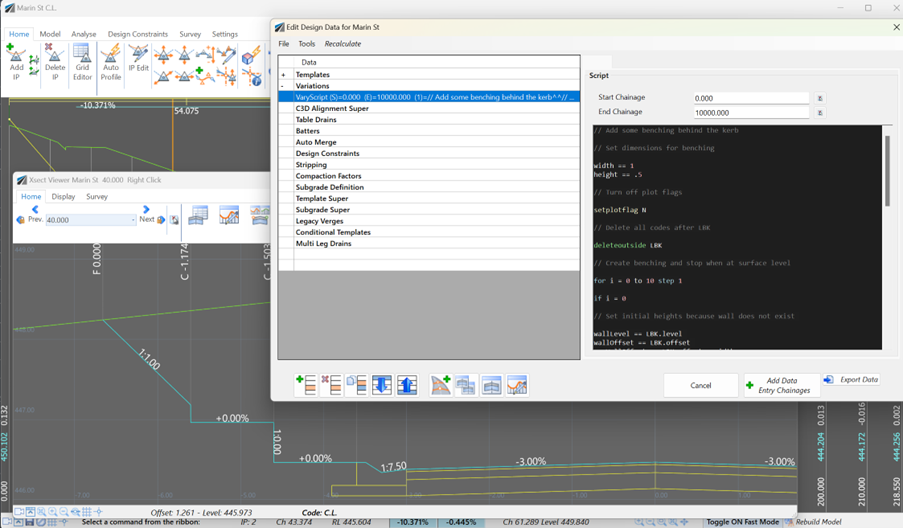
Unlock advanced cross-section editing in Civil Site Design with ScriptX, a user-friendly scripting tool for precision and customization. Easily integrate your scripts into the design process, and collaborate effortlessly with a shared library of scripts. This article will explore ScriptX's capabilities and provide download sample scripts.
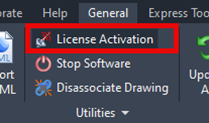
At times you may need to move your standalone Civil Site Design or Stringer license due to hardware failure, formatting of a workstation (PC) or moving to another PC. Here are the instructions on how to complete this process both if the license is accessible or inaccessible.
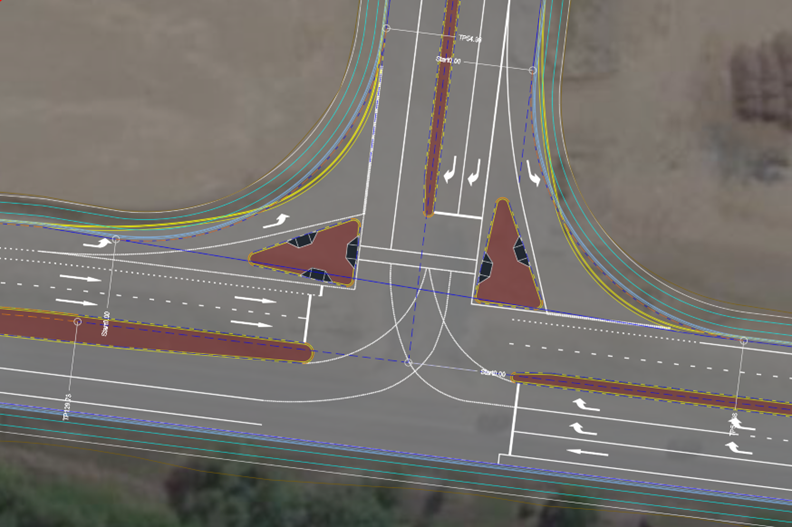
Revolutionise your Civil Site Design with Project Assist: Automating medians and splitter islands effortlessly. This AI-powered tool streamlines island integration by detecting alignments, automatically trimming road strings, and enhancing precision with minimal manual input.