
We are on the development and documentation journey to enabling multi language support across our applications. With the release of Civil Site Design and Stringer V26.2, we’ve taken the next steps in delivering multilingual versions of our applications to you.
The development team have introduced a language conversion process that directly translates text displayed on forms. Essentially, when the program is started, or you use the new Language Settings tool to switch language, we update the text on forms to use translated text entries. Translation is managed via a simple text file containing two columns of information: the source (English) text and the translated (localised) text.
Here is an example of translation to Hindi:

Right now, we are working on language support across three fronts:
- Commencing human translation. This is supported with the CSA Translation Editor application.
- Continuing development to support more text in forms. Currently, we auto translate static text, tooltips and form headings. We will continue to work on supporting more form input controls such as: message boxes, picklist inputs and dynamic text.
- Translating the help system. Right now, we are reviewing the help system to determine the best approach to language localisation
Our long-term goal is to include language selection at the time of installation for the user to select their preferred language. Short term, we have implemented a Switch Language command in Civil Site Design and Stringer for you to switch out the language displayed in the software.
Want to test out the Translator?
As part of the V26.20 release, we have included some machine language translation files. We’d welcome your review and feedback!
If you want to test out some language switches, we’ve created the following languages for you to try:
- Arabic
- French
- Indian (Hindi)
- German
- Italian
- Romanian
- Spanish
To apply a language switch, open Civil Site Design or Stringer look for the command Language Settings. You will find it in the Toolspace (right click on the drawing name) and also in the Ribbon (check out the General ribbon tab).
When you run the command, you will see options to turn translation on/off, manage how translation is applied and pick a language translation file to apply.
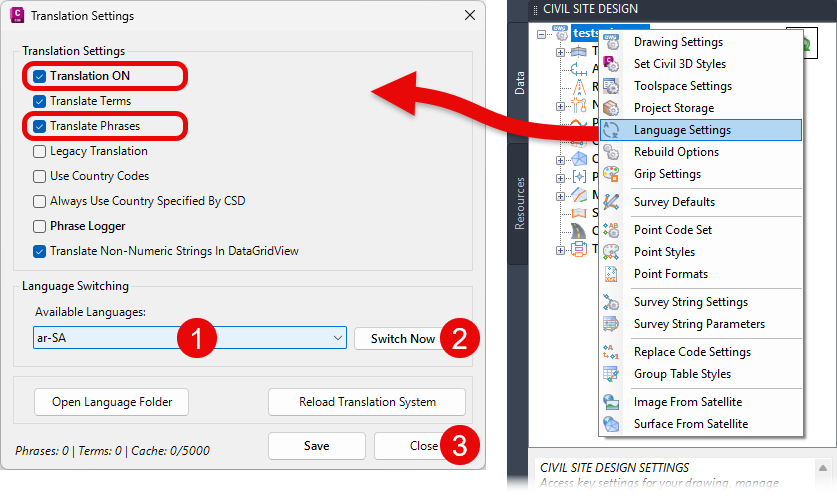
To apply a translation, ensure that Translation ON and Translated Phrases are ticked, then do the following:
- Under Available Language, pick a language file – these are named using the ISO 693 Language Codes.
- Click on the Switch Now button. You will see that the current form will translate
- Click on ‘Close’ and review. This will be the default language when you close and restart
You should see changes right away; however, we recommend shutting down and restarting the application to see full translation.
If you want to return to the defaults, then go back to this form and set the Available Language to Default and click Switch Now. For no language translation, until the toggle Translation ON and tick on Legacy Translation.
Translation Editor
To help support the translation and language localisation process, we’ve created a CSA Translator Editor application for translators. This application operates independently of Civil Site Design, and Stringer streamlines the process of translating all text phrases displayed within the software’s forms, providing translators with a powerful, efficient environment to manage, translate, and finalise new language packs.
If you are keen to be involved in translation, get in contact with us!
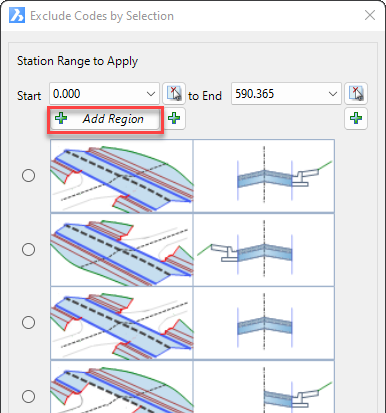
In Civil Site Design V24.10, the Model Builder Edit/Trim by Selection & Group forms received an update which can have a significant impact on selecting sections for trimming models.
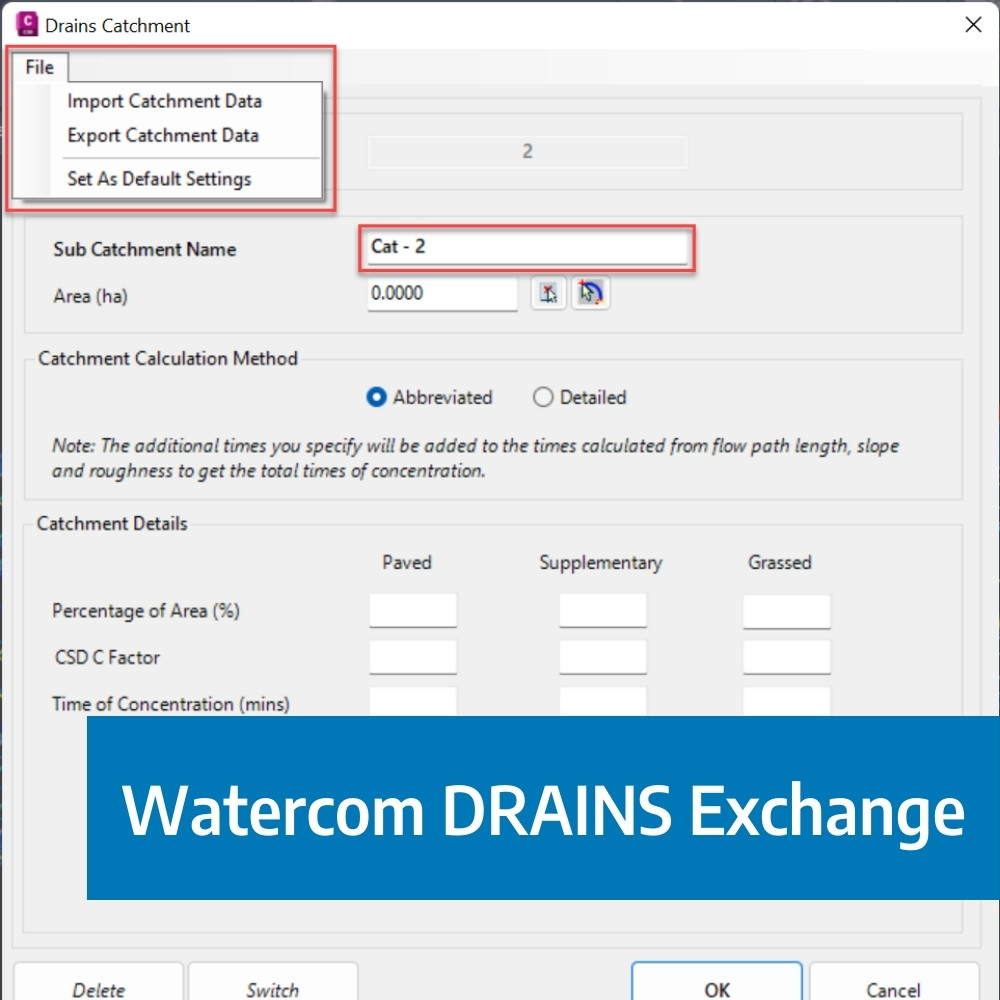
The DRAINS exchange for Civil Site Design has been established for over 10 years and has provided users with a solution of drafting in the CAD environment, analysing in DRAINS and generating design long sections with the HGL in Civil Site Design. This popular functionality has been a staple for drainage engineers looking to speed up the process of designing and drafting between the applications.

Our friends at Watercom are having their best-ever EOFY Sale! Get up to 50% off new DRAINS licences, subscriptions, upgrades, Online Training & and In-Person Workshops! Licensing & Subscriptions 30% off new DRAINS Subscriptions 30% off new DRAINS USB Licences Up to 50% off upgrading existing USB Licences View Licensing Deals Training 50% off On-Demand […]
We are pleased to announce that a sister company to Civil Survey Solutions Pty Ltd has been formed called ‘Civil Survey Applications Pty Ltd’ to take the development and marketing of the Civil Site Design and Stringer Topo software to the next level.
